Using Walr’s “No Code” solution, our highly customisable custom questions allow you to modify them without needing to understand any coding or programming. Everything is presented through options in our “Visualisation”, allowing you to adjust the question to get exactly the format you need.
What is it?
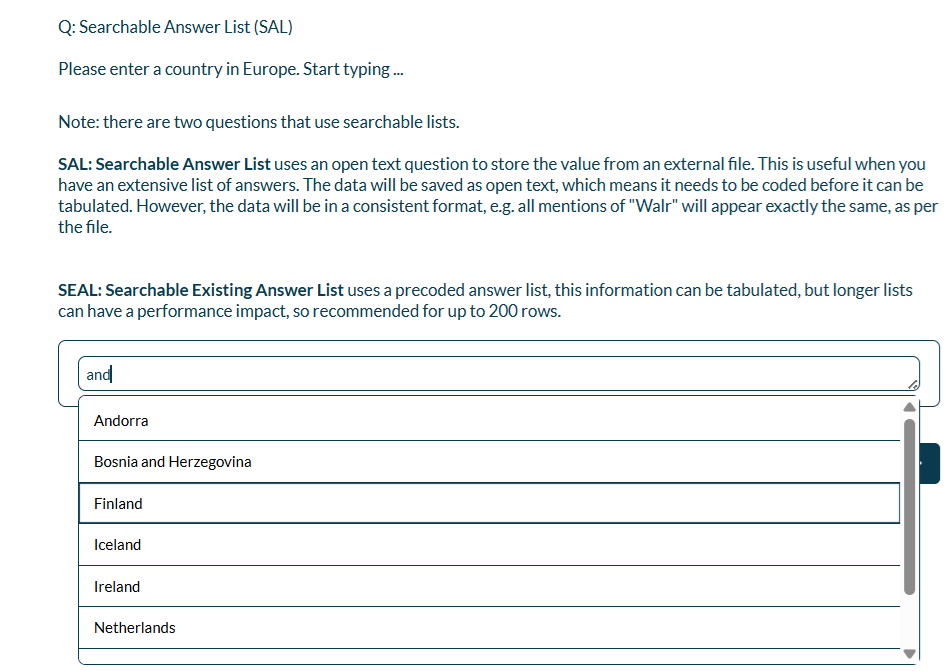
SAL: Searchable Answer List uses an open text question to store the value from an external file. This is useful when you have an extensive list of answers. The data will be saved as open text, which means it needs to be coded before it can be tabulated. However, the data will be in a consistent format, e.g. all mentions of "Walr" will appear the same, as per the file. This question will only allow one selection, so is useful for single lookups. However, this question allows for much longer lists, and the ability to split the lists across multiple files and dynamically use the appropriate list based on previous answers (hidden or asked questions).
Also see "Searchable Existing Answer List (SEAL)" for a multiple selection variation.
When to use it?
You have a long list of brands or you want people to start typing and the lookup text appear e.g.
Typing : wa
Would bring up all the options that have “wa” anywhere in the text.
What languages are supported?
All Survey Builder languages.
Note that you need to ensure that the options in the file list are all in the languages that you will be running the survey in.
Can I test it?
Survey link SAL:https://survey.walr.com/pXAMk7?qq=45
Data
SAL: The data would be available only as raw data as this is an open text question. However, the format of each unique answer would always be the same, so you will not have any spelling variation if it was manually typed in as per a standard open text question.
In our Analysis & Reporting tool you can view as raw data.

Example:
Setup:
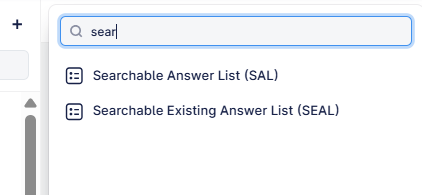
The Searchable Answer questions can be found in the “Add New Element” section as shown.
Here is an example of how to set up the question.
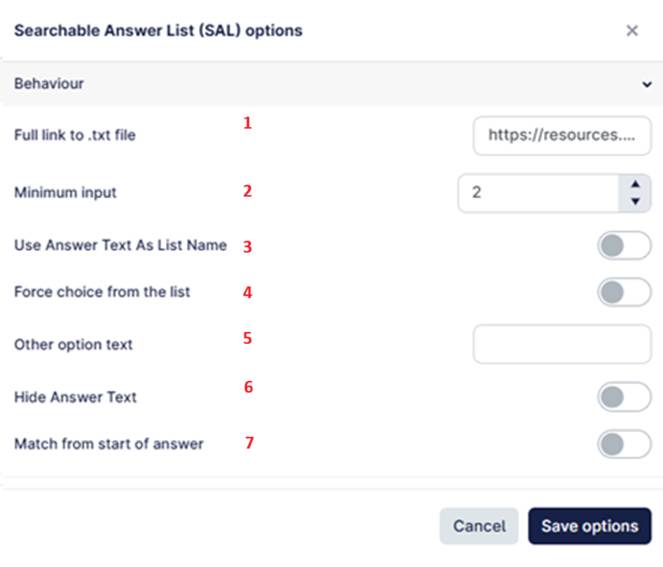
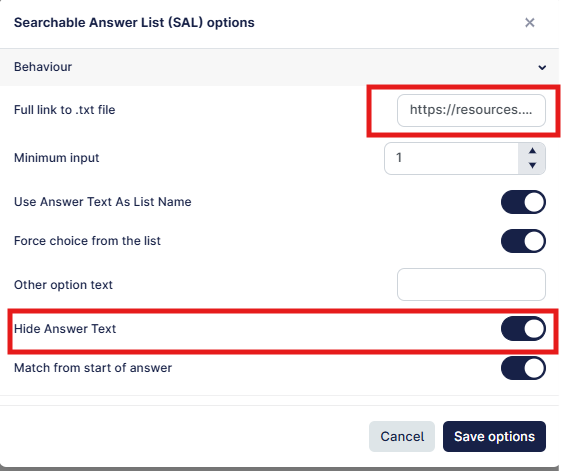
- The link to the file that contains the full list of searchable items. This can be uploaded to the Walr file library on the platform. Must be uploaded as a .txt file with a single line per item. Example.
- The minimum number of characters before the search is run, we recommend at least 2 characters
- If you wanted to use custom lists, e.g. a European country list, a USA state list etc. you can upload multiple lists and then use the text in the answer code to dynamically pull in the correct file.
- In the answer row you can put the text or the piping from another question e.g. {{\SALA.a}}
- In the reference url from option 1, you can enter something like this, which will dynamically map the answer to file: https://resources.walr.com/3ef11f3f-290d-4a64-925c-34ae02f863ce/TEST/[PIPE].txt
- This means you must have a file for each named type e.g. Europe.txt, US.txt etc.
- Forces an answer to be from the lists e.g. if you type in Jamaica and the available options are only European countries, will be unable to proceed
- You can define an optional “other” option and the text, this means that anything outside the list can be coded into a collective option
- This hides any answer text, otherwise your row text will appear e.g.
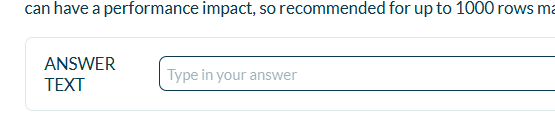
- If enabled, then only matches from the start of the word. By default is disabled so the match string can be anywhere in the word.
Using multiple files in a single question
You can set up a question, hidden or asked like this example:
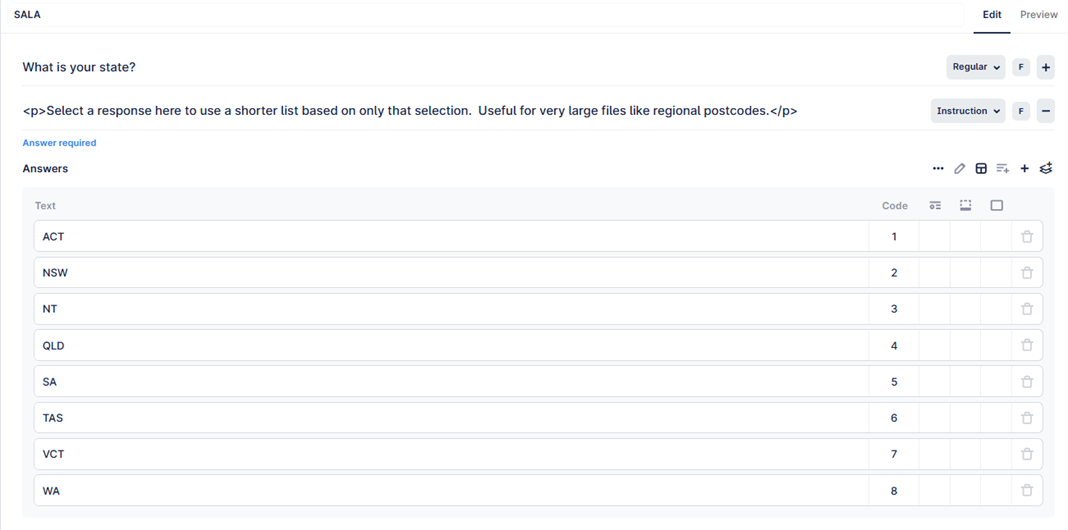
The follow on question will be the SAL question and can be set up like this:
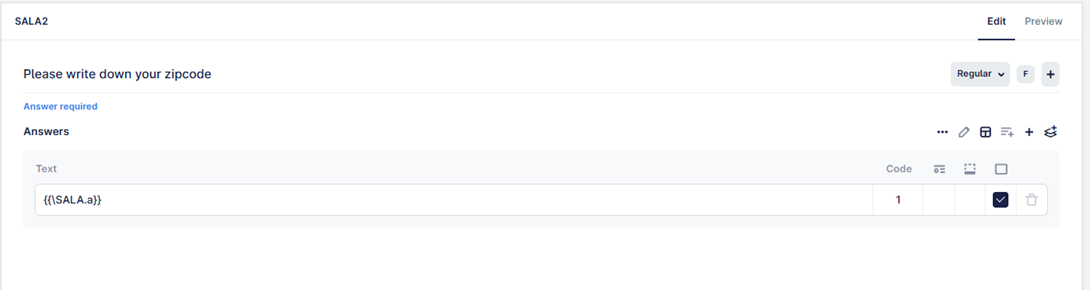
You need to ensure that you have a file for each of the answers in the first questions
e.g. ACT.txt, NSW.txt etc.
Each of these files will contain only the values specific to that example.
In the visualisation option, the reference to the file should be set up like this, where [PIPE] is replaced with the piped value from the question.
https://resources.walr.com/3ef11f3f-290d-4a64-925c-34ae02f863ce/TEST/[PIPE].txt
You also need to make sure the “hide answer text” is toggled to on, otherwise the respondent will see the text in front of the answer box.