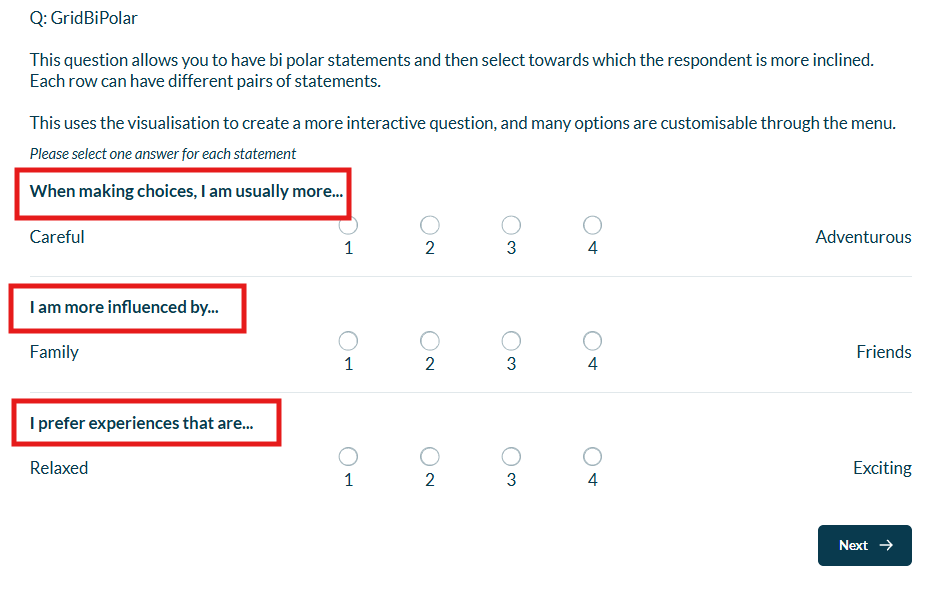
Using Walr’s “No Code” solution, our highly customisable custom questions allow you to modify them without needing to understand any coding or programming. Everything is presented through options in our “Visualisation”, allowing you to adjust the question to get exactly the format you need.
What is it?
An alternate way to ask a “this or that” type question, whereby the scale allows selection of a preference towards either end of the scale.
Bi-polar grid setup customizes each statement into two poles left and right on desktop, and top and bottom on mobile. The available answer options are positioned in between these poles, creating a clear and balanced layout that adapts seamlessly across devices.
The grid question by default has a desktop (standard grid) and mobile (stacked grid) view.
When to use it?
If you have a shared scale, and a list of items that have opposing statements.
e.g. I like this more | I like that more
What languages are supported?
All Survey Builder languages.
Can I test it?
Survey link: https://survey.walr.com/pXAMk7?qq=7
Data
The question type is a standard single grid.

In our Analysis & reporting tool:
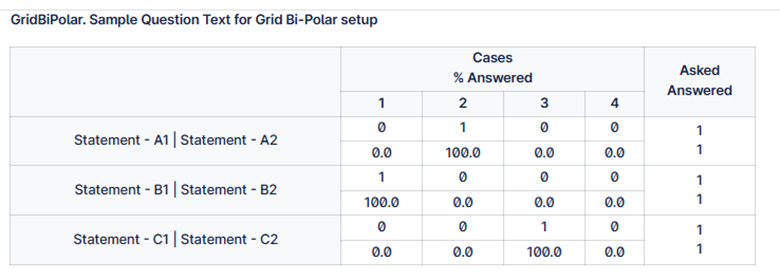
Example:
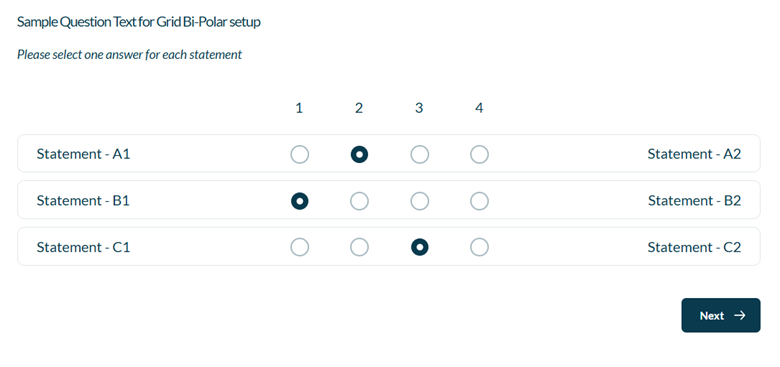
Setup:
The Grid Bi-Polar can be found in the “Add New Element” section as shown.
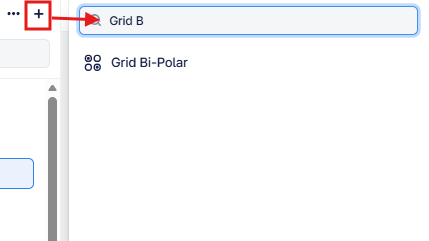
Here is an example of how to set up the question.
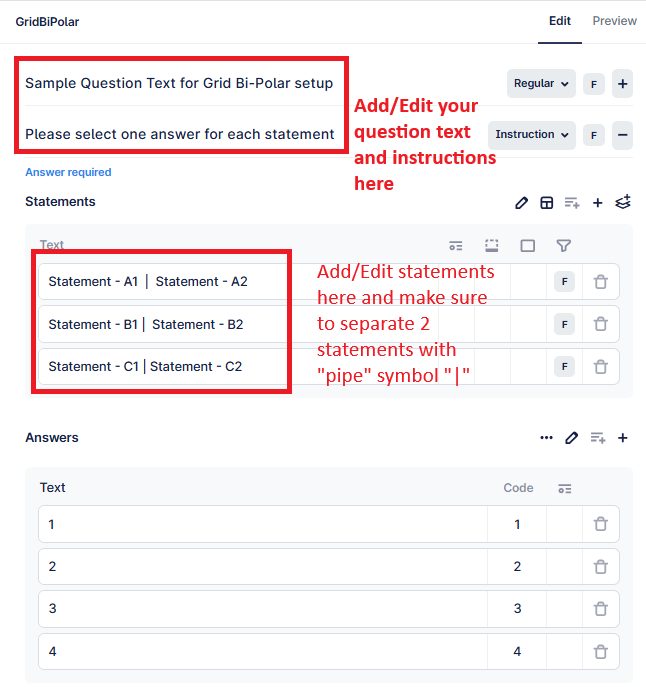
For an alternate way to set this up with statements per row you can add an addtional element to each statement row:
Careful|Adventurous|When making choices, I am usually more...