
Using Walr’s “No Code” solution, our highly customisable custom questions allow you to modify them without needing to understand any coding or programming. Everything is presented through options in our “Visualisation”, allowing you to adjust the question to get exactly the format you need.
What is it?
Regex (regular expression) is a sequence of characters that forms a specific search pattern.
When to use it?
When there is a specific format that needs to be enforced e.g. mobile number, postcode/zip code, email address etc. (see further down for full list).
While this will not verify if the inputted value exists, it will enforce the correct format for entry.
What languages are supported?
All Survey Builder languages.
Can I test it?
Survey link: https://survey.walr.com/pXAMk7?qq=12
Data
This question uses a multi open-end structure.

In our Analysis & reporting tool the question view will show the total count but not the open text.
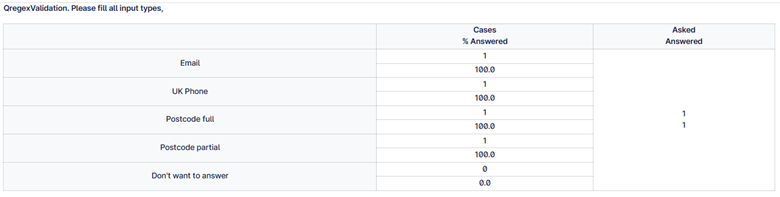
You can view that raw data in the data view with regex entered as 6 digits exactly in last column.

Example:
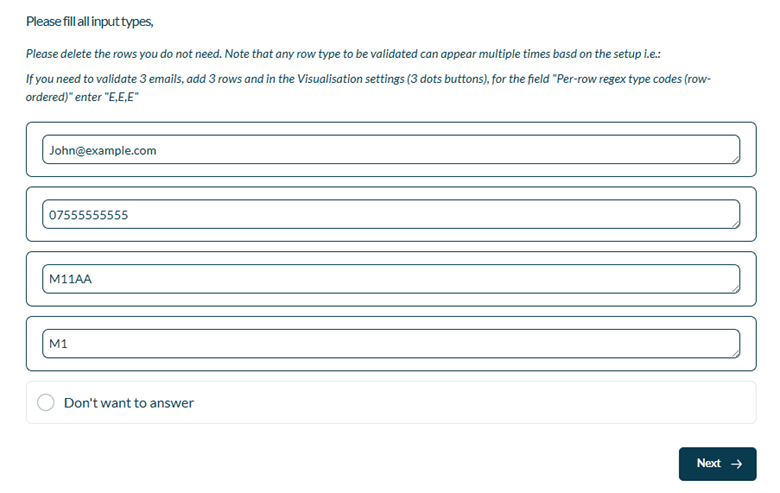
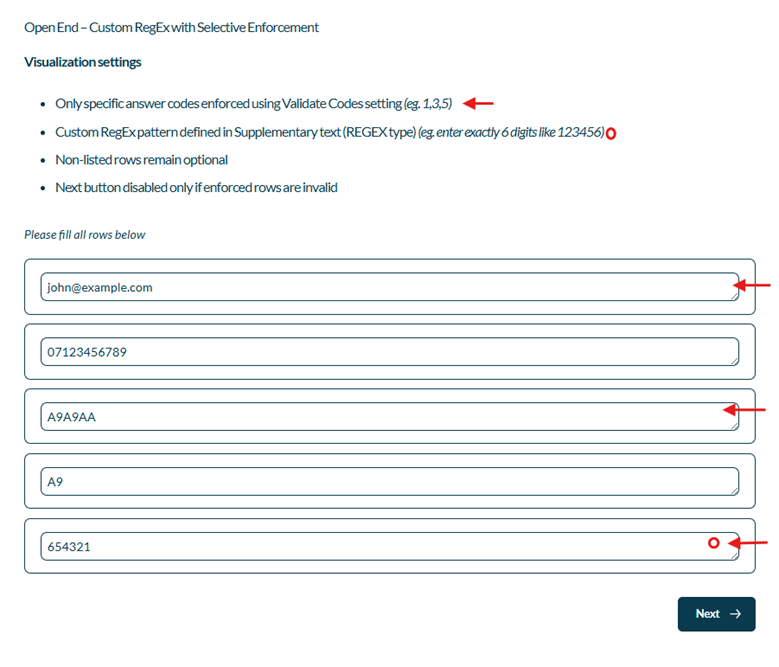
Setup:
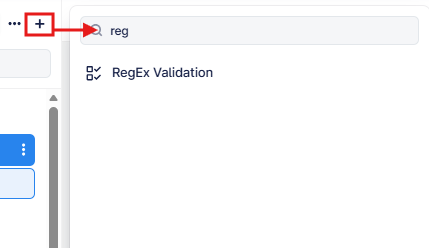
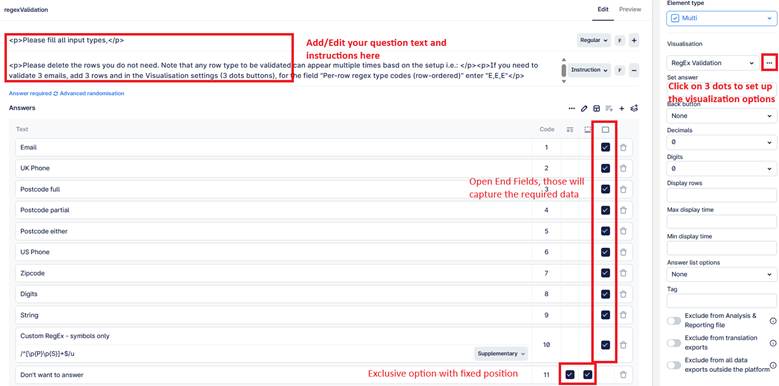
The Regex Validation can be found in the “Add New Element” section as shown.
Here is an example of how to set up the question.
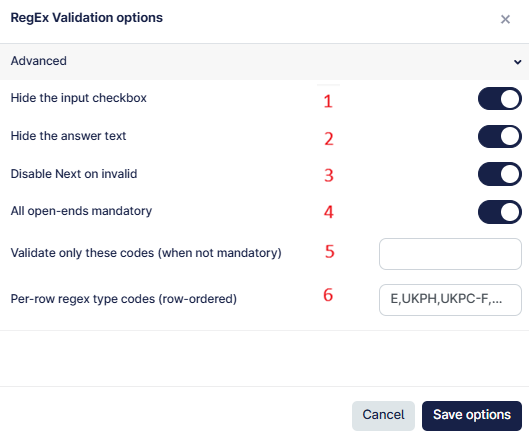
This question applies row-level RegEx validation to Multi Open-End inputs. Each open-end can be validated using predefined formats (Email, Phone, Postcode, etc.) or a fully custom regular expression.
- When enabled, hides the input checkbox associated with each open-end row.
- When enabled, hides the answer label text and uses it as the placeholder inside the text area.
- When enabled, disables the global Next button while any relevant open-end is empty or invalid.
- When enabled, all open-end rows must contain valid input (unless an exclusive option is selected).
- When “All open-ends mandatory” is OFF, only the listed answer codes (comma-separated, e.g., 1,2,5) will be validated.
- Defines the validation type for each open-end row, in display order. Values must be comma-separated and aligned row-by-row.
Supported Validation Type Codes:
E – Email format
UKPC-F – UK Postcode (Full format only)
UKPC-P – UK Postcode (Partial format only)
UKPC-E – UK Postcode (Full or Partial)
UKPH – UK mobile number
USAPC – US ZIP code (5 or 9 digit)
USAPH – US phone number
D – Digits only
S – Any non-empty string
REGEX – Custom regular expression (must be defined in the row’s Supplementary text)
Important Behavior:
- Invalid fields are visually marked.
- If enabled, the Next button remains disabled until all required rows are valid.
- If an exclusive option (e.g., “Don't want to answer”) is selected, validation is bypassed.
Custom REGEX Example:
For the row where custom (REGEX) needs to be implemented, add regex symbols in supplementary like below

This would enforce exactly 6 digits.
Note: Escape backslashes properly when needed (for example: ^\d+$ for digits only).