Using Walr’s “No Code” solution, our highly customisable custom questions allow you to modify them without needing to understand any coding or programming. Everything is presented through options in our “Visualisation”, allowing you to adjust the question to get exactly the format you need.
What is it?
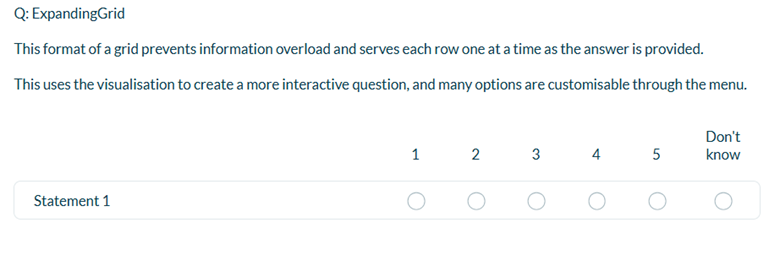
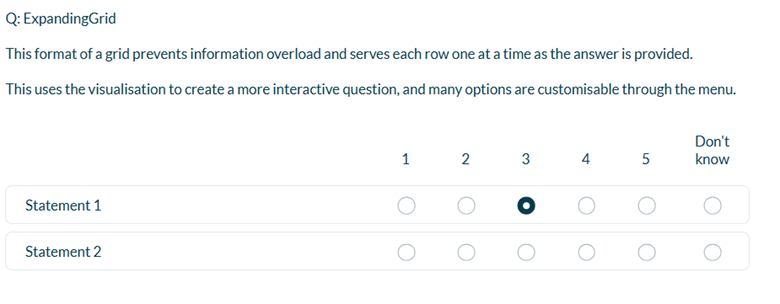
Converts a standard grid into an expanding grid, where each subsequent row is hidden until the previous one has been answered.
When to use it?
When you have a long series of statements or if you want to display them one at a time.
What languages are supported?
All Survey Builder languages.
Can I test it?
Survey link: https://survey.walr.com/pXAMk7?qq=9
Data
The question type can be standard single select / multi select grid.

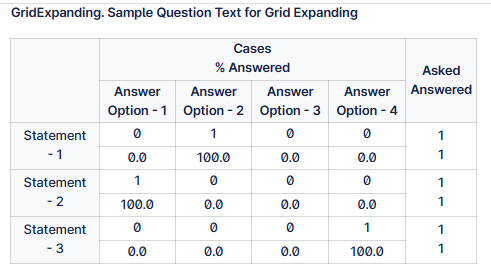
In our Analysis & reporting tool:
Example:
Setup:
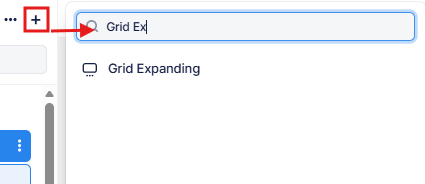
The Grid Expanding can be found in the “Add New Element” section as shown.
Here is an example of how to set up the question.
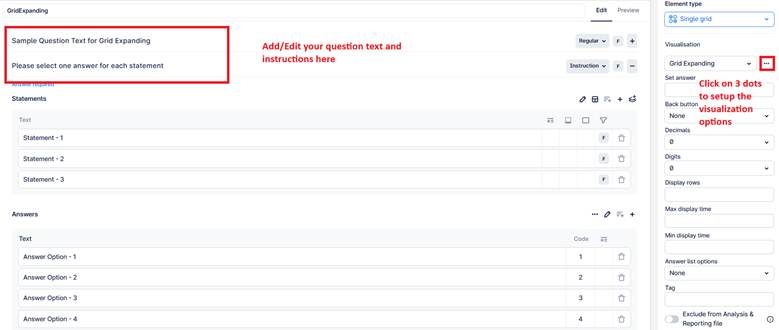
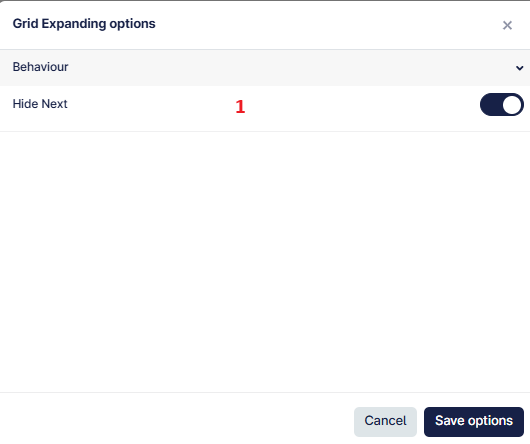
This question applies an Expanding Grid behavior, where grid rows are revealed progressively based on respondent interaction.
- When enabled, hides the Next button until the respondent reaches and answers the last row.