Using Walr’s “No Code” solution, our highly customisable custom questions allow you to modify them without needing to understand any coding or programming. Everything is presented through options in our “Visualisation”, allowing you to adjust the question to get exactly the format you need.
What is it?
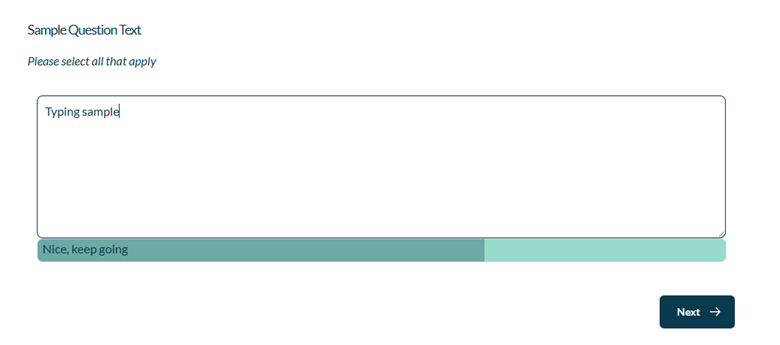
Attaches an interactive progress bar next to essay textual input while respondents type, has provision to show short encouraging messages at intervals, and optionally hides/shows the main “Next” button until an ideal length is reached.
When to use it?
Use when you want to encourage longer, higher-quality open-end responses (e.g., product feedback, suggestions, open comments) and give respondents real-time guidance about how much to write.
What languages are supported?
All Survey Builder languages.
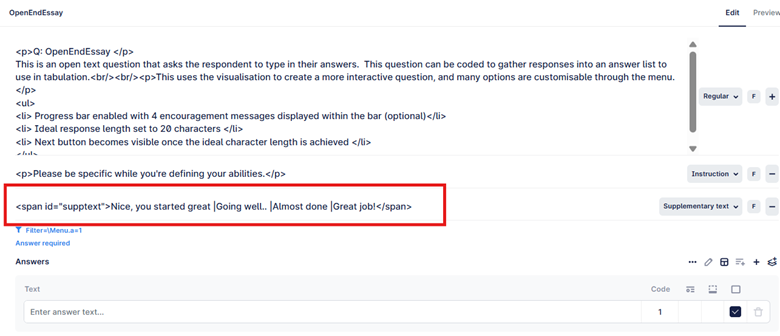
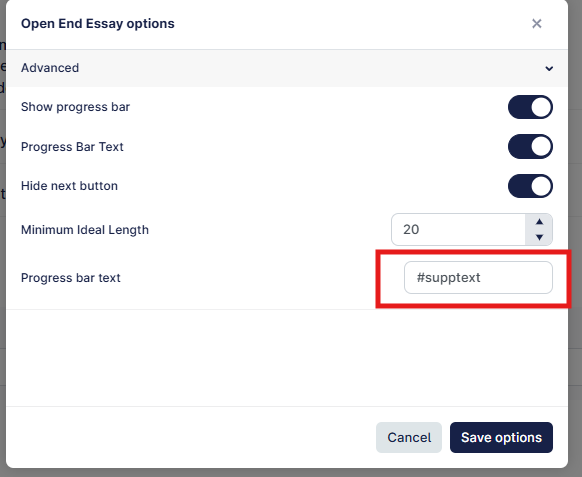
Custom messages can be provided via the question so they can be translated (example provided below).
Can I test it?
Survey link: https://survey.walr.com/pXAMk7?qq=1
Data
The data for this question will be a standard open type data variable, and the response will be shown as entered by respondent.

In our Analysis & Reporting tool you can view it as raw data and use our coding tool to categorise the responses into a list which you can then use to tabulate.
Example:
Setup:
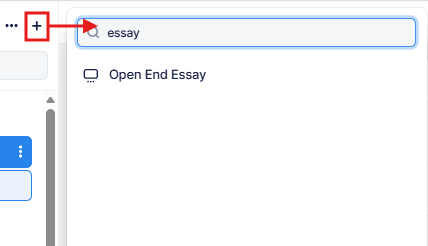
The Open End Essay can be found in the “Add New Element” section as shown.
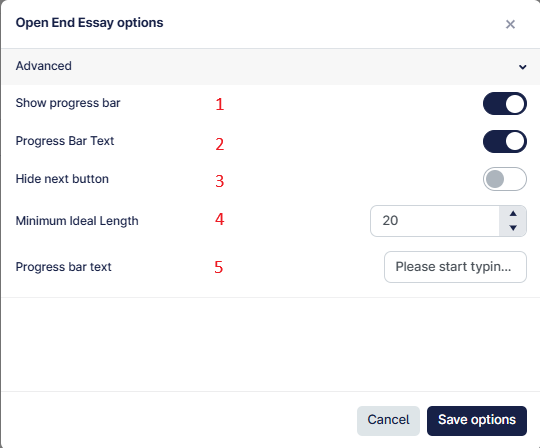
Here is an example of how to set up the question.

- This shows the progress bar towards the character limit set in (4).
- You can turn the encouragement text on or off.
- The next button will be hidden until the minimum character length is achieved.
- This is the ideal length (characters) you want in the response.
- Encouragement text to show when certain character targets are met.
For example if you set the ideal length to 200 characters, and add 4 encouragement text in this format: Text1| Text2| Text3| Text4
Then we will automatically split that character length by 4 and show the next encouragement text every 50 characters. If you updated to 10 encouragement text, then it would be automatically updated to show after every 20 characters.