Using Walr’s “No Code” solution, our highly customisable custom questions allow you to modify them without needing to understand any coding or programming. Everything is presented through options in our “Visualisation”, allowing you to adjust the question to get exactly the format you need.
What is it?
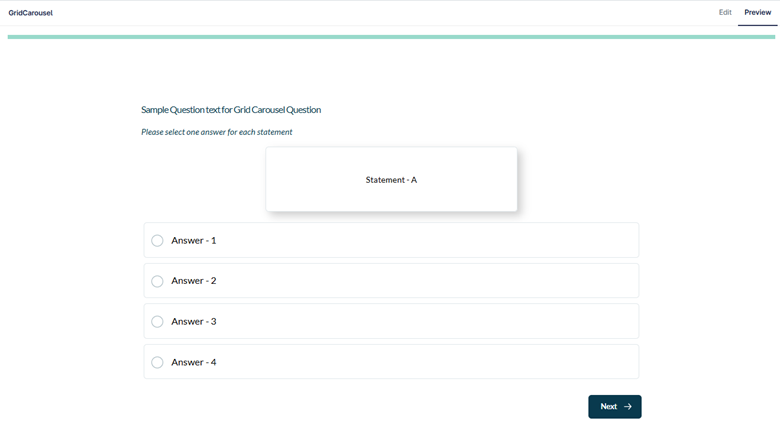
Converts a standard grid question into a carousel, making it easier to answer and navigate. Allows the statement to be prominent and each is shown one at a time.
Can be set up with or without navigation within the carousel (moving back through statements already answered) and with progress to show the current statement and how many statements in total e.g. 3/5.
When to use it?
When you have a long series of statements or if you want to display them one at a time. Visually ideal for mobile devices.
What languages are supported?
All Survey Builder languages.
Can I test it?
Survey link: https://survey.walr.com/pXAMk7?qq=5
Data
The underlying question type for this question is a single or multi grid, so each statement will have a column in the data.

In our Analysis & reporting tool:
Example:
Setup:
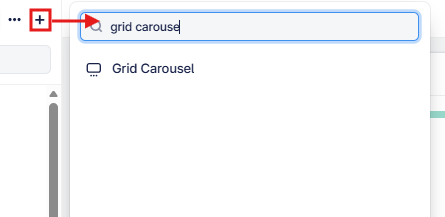
The Grid Carousel can be found in the “Add New Element” section as shown.
Here is an example of how to set up the question.
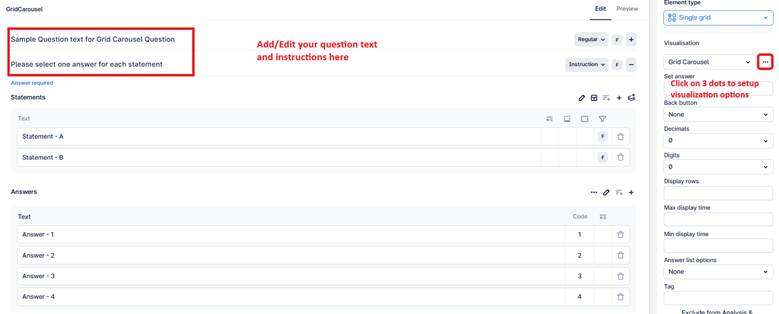
This question uses a Carousel Grid layout, where each statement is shown one at a time as a card, and respondents select answers before moving to the next statement.
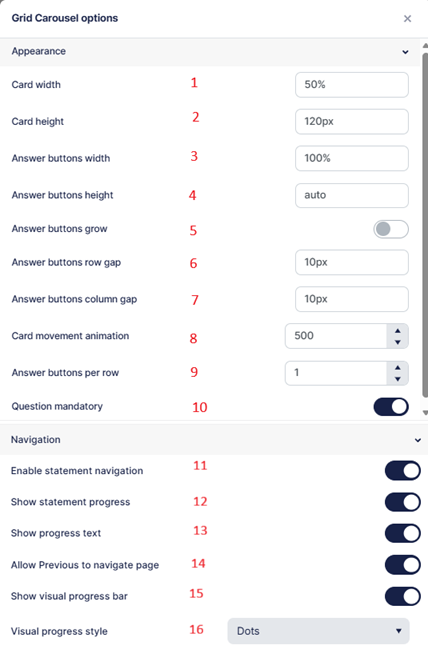
- Defines the width of the statement card (percentage recommended).
- Defines the height of the statement card (pixels recommended).
- Sets the width of the answer buttons.
- Sets the height of the answer buttons.
- When enabled, answer buttons automatically expand to fill the available horizontal space.
- Sets the vertical spacing (row gap) between answer buttons.
- Sets the horizontal spacing (column gap) between answer buttons.
- Defines the animation duration (in milliseconds) when transitioning to the next statement.
- Specifies how many answer buttons should appear per row.
- Turn OFF to make the question non-mandatory; when ON, respondents cannot proceed without answering.
- Enables the navigation through the statements.
- Overall control, enabling the progress options. Note they need to to be turned on as well (options 13,15)
- Shows progress text:

- Enables the survey level back button allowing navigation to the previous question.
- Shows progress icon:

- Change the style of the progress icons from pills to dots.
e.g pills