Using Walr’s “No Code” solution, our highly customisable custom questions allow you to modify them without needing to understand any coding or programming. Everything is presented through options in our “Visualisation”, allowing you to adjust the question to get exactly the format you need.
What is it?
A video player that uses Walr’s File library to host and play video files.
When to use it?
If you have any video that needs to be inside the survey and do not want to use other media platforms.
What languages are supported?
All Survey Builder languages. The content of the video will not be translated.
Can I test it?
Survey link: https://survey.walr.com/pXAMk7?qq=13
Data
The underlying question type for this question is a single response but answer rows would be hidden from respondents as default. So, no data will be captured.

In our Analysis & Reporting tool you can view it as raw data.
Example:
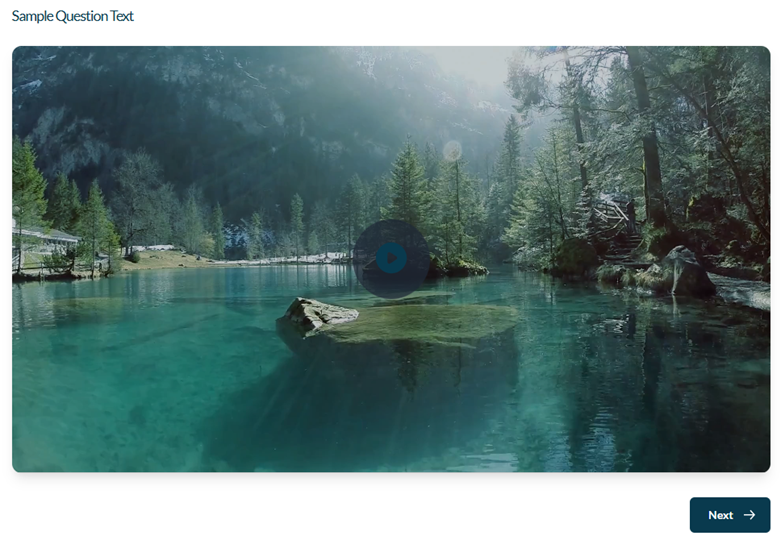
Setup:
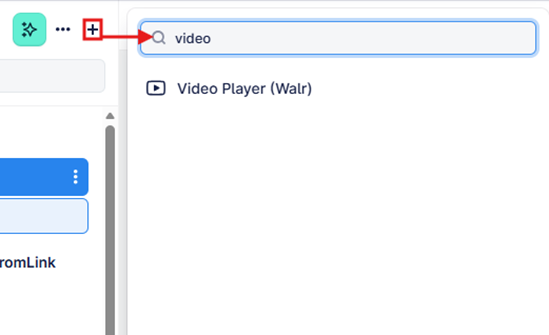
The Video Player can be found in the “Add New Element” section as shown.
Here is an example of how to set up the question.
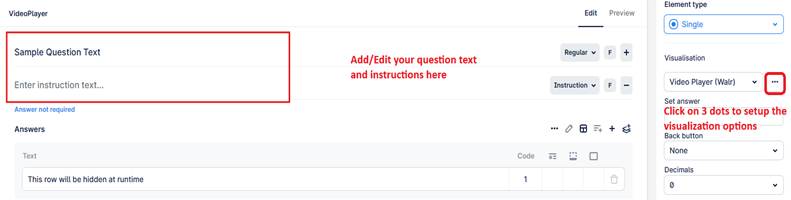
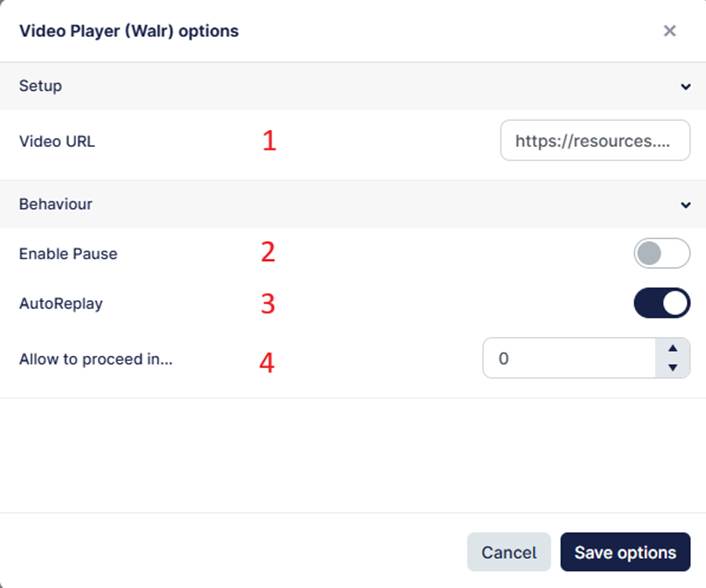
- Upload the video asset (file) to Walr Resources (file library), copy the generated URL, and paste it into the setup section under “Video URL”.
- Toggle ON if you want to allow users to pause the video while it is playing.
- Toggle OFF if you do not want the video to replay automatically once it finishes.
- Set the timer (in seconds) to control when the user is allowed to proceed (i.e., when the Next button appears) while the video is playing.
- Enter 0 if the user should be allowed to proceed without watching the video.
- Enter 4 if the user should be allowed to proceed after watching 4 seconds of the video.
- Enter 999 if the user must watch the entire video before proceeding.