
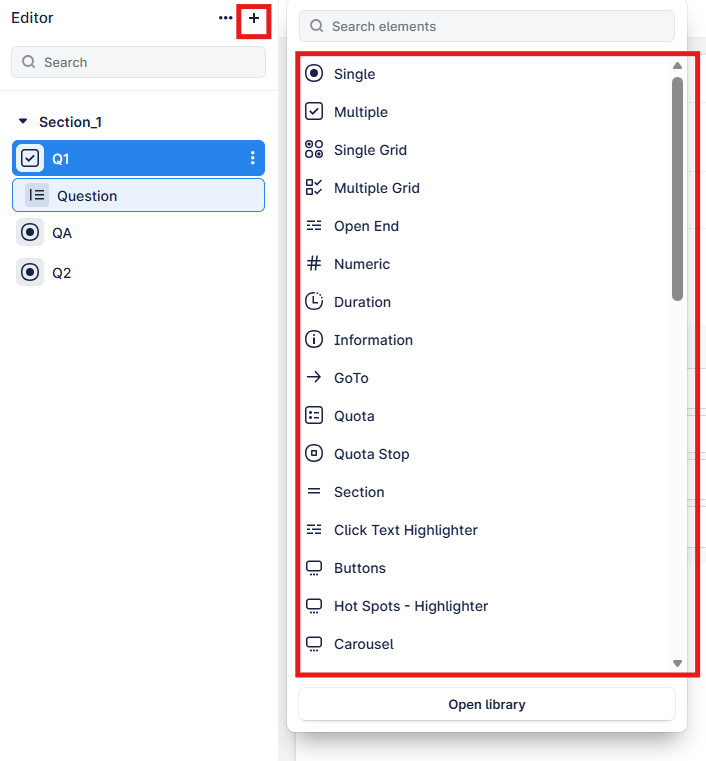
Use the “+” to access all the survey elements, from where you can add any questions, quotas, etc., and access your saved question library.
Everything up to and including “section” are considered our core elements.
All elements after this are called Custom Questions, and these can be added and modified without the need for editing JavaScript.
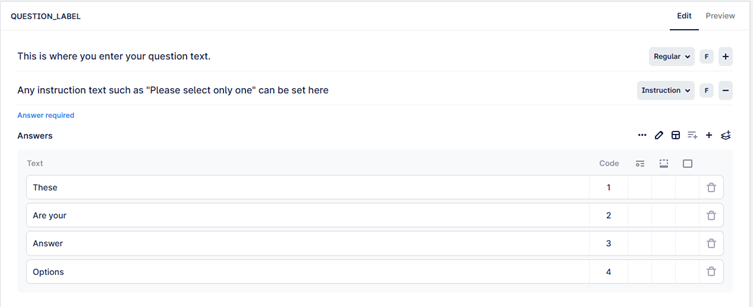
Questions have elements you can edit to add your question label, question text, instructions and answer options as in this example.
Note: Question labels must be unique within the survey and can contain any letters or numbers; spaces and symbols other than “_” are not acceptable
e.g. “Q2 A” is not acceptable, but “Q2_A” is OK.
Depending on the question type, other options are available to be edited, such as in the case of a grid/carousel, where you also need to define your statements as well as an answer list:
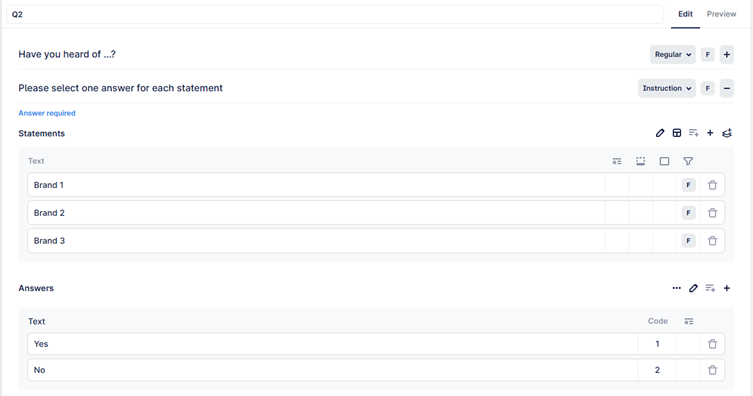
In all cases, you can click on the preview button on the top right that will allow you to see the question (note that any logic or filtering based off other questions will not be in effect).