
Submit a ticket Agent Login
Welcome
Login  Sign up

Build A Survey From Scratch

You can also view this video.


Surveys must be created within a Project.

From scratch, will give you a blank survey

Demo Project Folder

AI-generated content may be incorrect.

From the “Add” menu, select “From scratch”
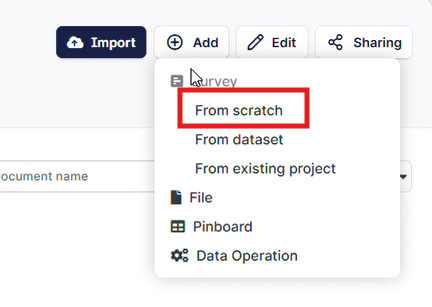
The image shows a user interface with various data import and editing options, including 'From scratch', 'From dataset', and file management tools.

AI-generated content may be incorrect.

Add the details of your survey, include any tags if needed:
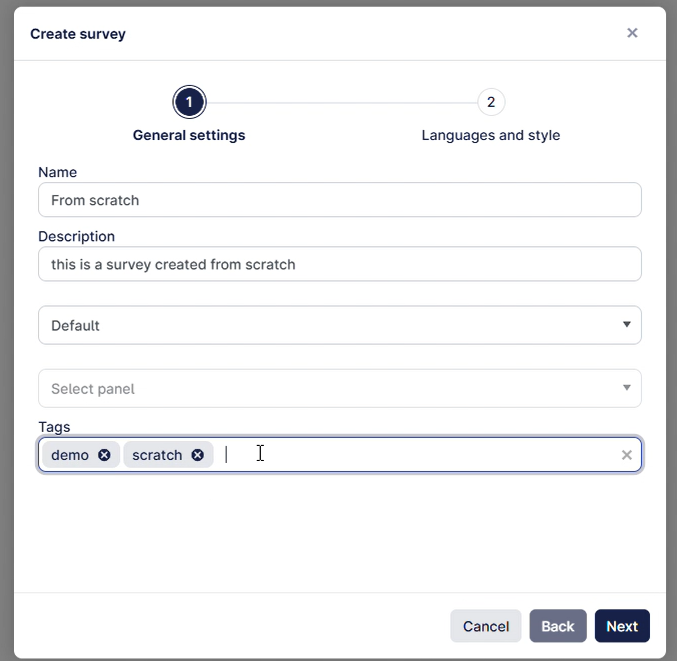
The image depicts a user interface for creating a new survey, with options for language, style, name, and additional customization settings.

AI-generated content may be incorrect.

Click Next and add any languages or change the survey theme.

For languages we recommend you add only the default language for now, and add any additional languages later.
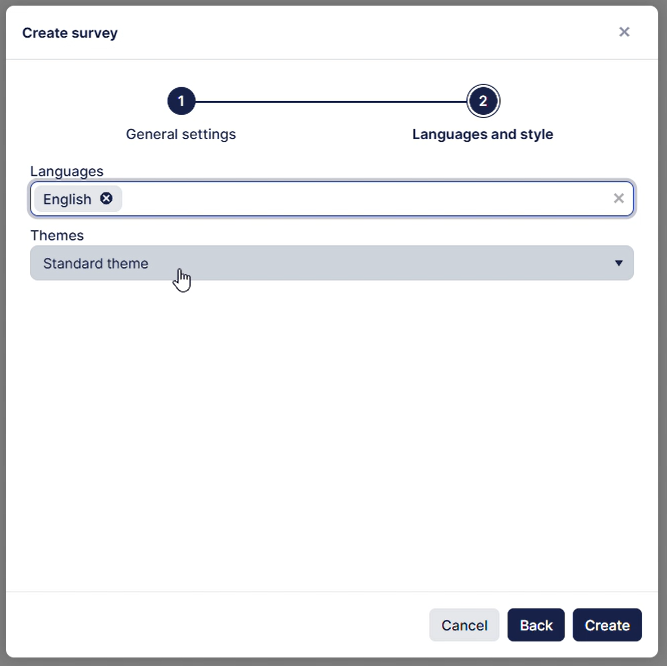
The image depicts a user interface with a survey creation section, featuring language and theme settings.

AI-generated content may be incorrect.


You will now have an empty survey which you can start working on:
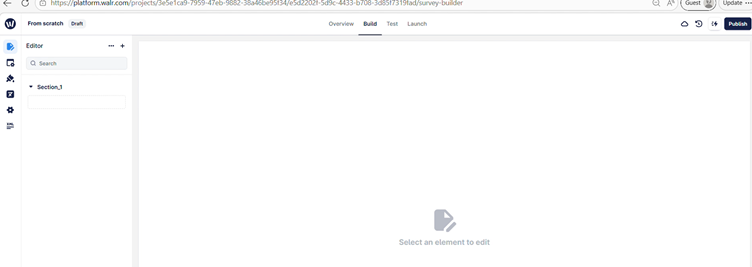
The image shows a user interface for a survey builder with options for creating, updating, and publishing a survey, including sections for XML editing.

AI-generated content may be incorrect.

Did you find it helpful? Yes No

Send feedback
Sorry we couldn't be helpful. Help us improve this article with your feedback.