
Submit a ticket Agent Login
Welcome
Login  Sign up

Changing User Types

You can also view this video: https://survey.walr.com/pXAMk7?qq=29 


There are three (3) User Types on the Walr Platform.


  1. Standard
  2. Advanced
  3. Administrator


If you are an existing Administrator or Advanced user you can change another users User Type through the Admin page:
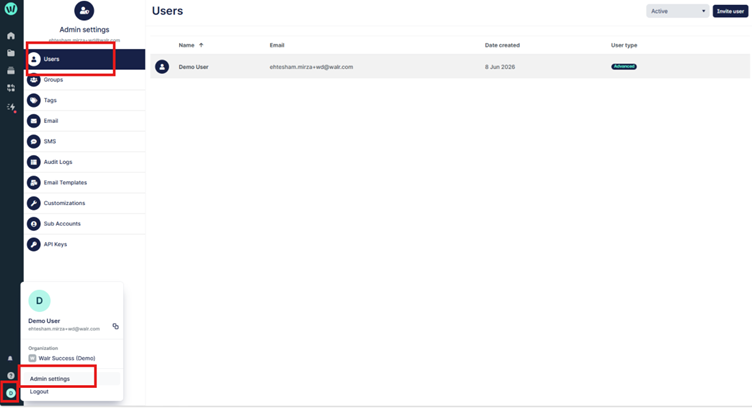
 The image displays an admin panel in a web application, showing user management features such as active users, invitation, user settings, and various customization options.

AI-generated content may be incorrect.

Select the “edit” icon and update the permissions as needed:

The image displays a user account page with fields for name, email, and account type, including a created date and a button to invite other users.

AI-generated content may be incorrect.


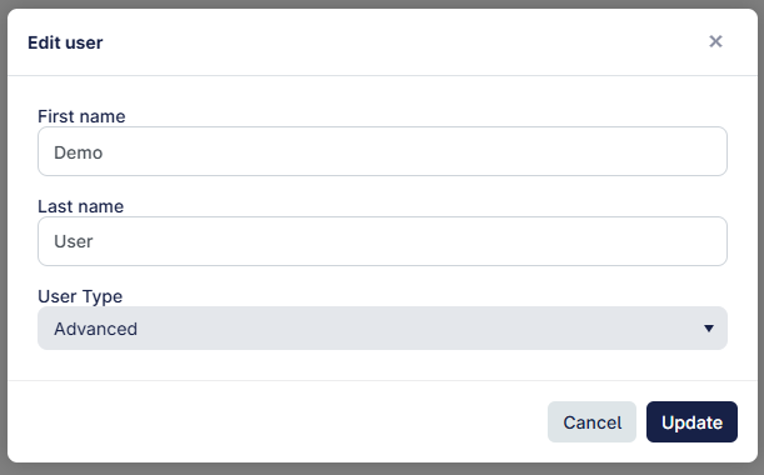
While updating the User Type, you can also edit the display name as well: 


Did you find it helpful? Yes No

Send feedback
Sorry we couldn't be helpful. Help us improve this article with your feedback.