You can also view this video: https://survey.walr.com/pXAMk7?qq=26
A regular account is for a licensed user of the Walr Platform.
A sub account is an account for a user that is invited to view or participate in a project owned by a regular account user. Sub accounts are set up by an Administrator.
You can easily share project(s) with your colleagues and clients, whether they have existing accounts on the Walr Platform, or not.
A sub account must exist before it can be used to share a project.
Note: an email address cannot be registered to a regular account and sub-account at the same time.
See also “Sub Accounts – How to Share a Project”
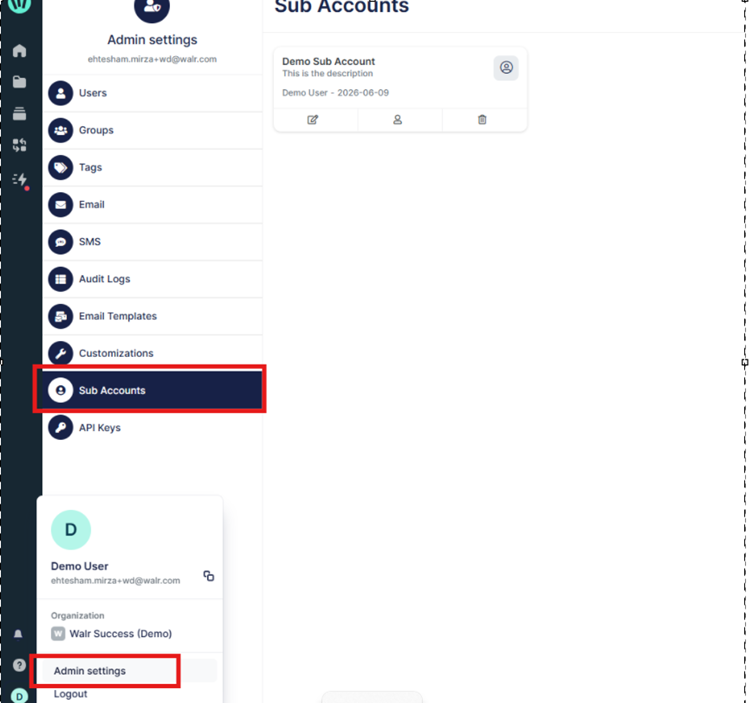
To access these settings:
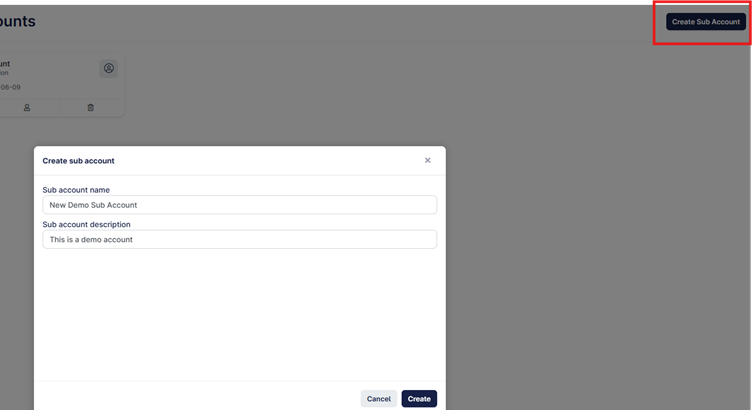
First create a sub-account group that will allow you to group users from the same company to be grouped together. This will allow you to share a project with multiple people more easily.
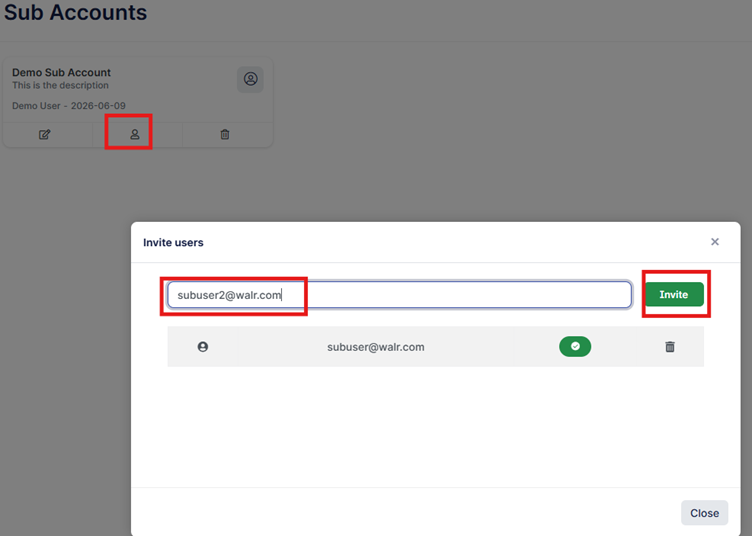
You can invite as many users to each sub-account group as needed.
If you need to remove anyone, you can do so from here and they will no longer be able to view any projects previously shared with them.