You can also view this video: https://survey.walr.com/pXAMk7?qq=31
A regular account is for a licensed user of the Walr Platform.
A sub account is an account for a user that is invited to view or participate in a project owned by a regular account user. Sub accounts are set up by an Administrator.
A sub account must exist before it can be used to share a project.
You may customise what you want to share, whether it is ALL or parts of a project. You can also customise the access permissions, whether it is read-only, or enable collaboration with those you have shared to.
Note: an email address cannot be registered to a regular account and sub-account at the same time.
Navigate to the project you want to share and set-up sharing:

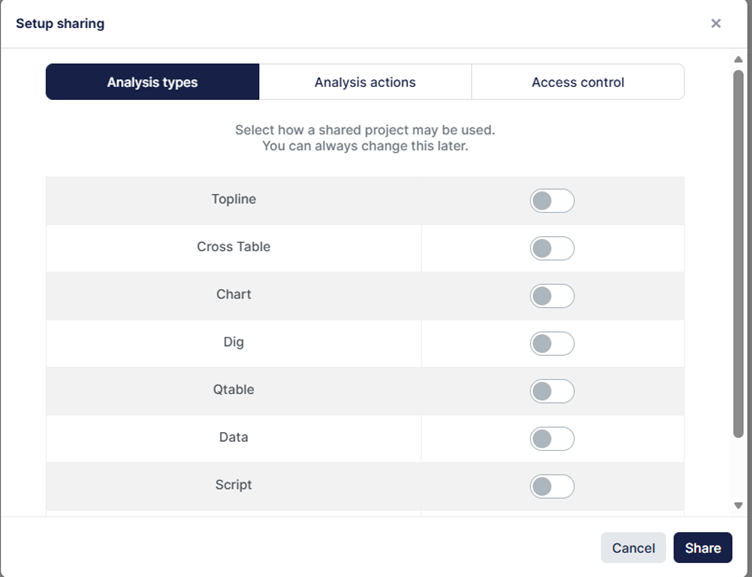
You can now decide what Analysis types within Analysis & Reporting you want to give access to:
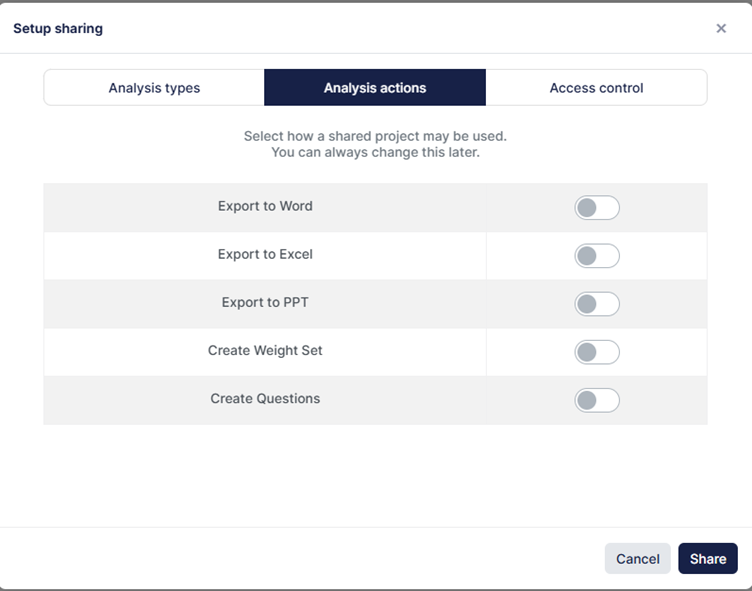
The Analysis actions:
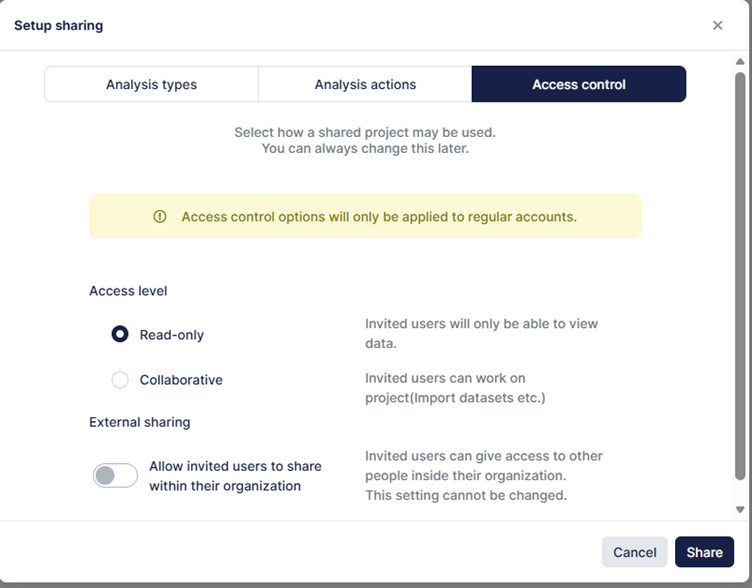
Access control:
If you would like the invited users to be able to edit any tables or toplines, then you need to ensure they have “collaborative” access
You will see a list of all those you have shared with:

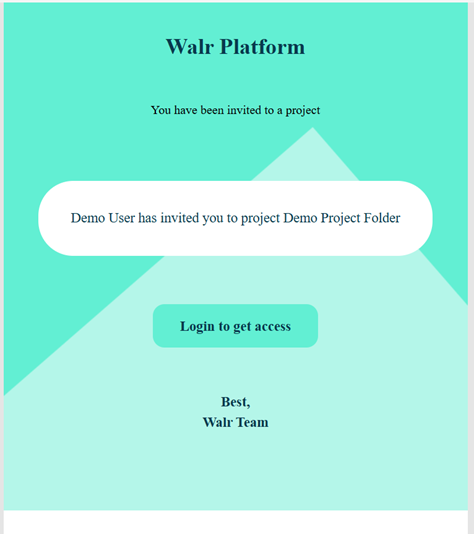
The invited user will not have a login on password as a regular user would have, instead they will receive an email, which provides token based access.
By clicking on “Login to get access” the user will be taken into the Platform, bypassing any login screen. Each time the user requires access, they will have to click on the “login to get access” button within the email. Re-sharing an email is not required, the original email will remain functional until anyone revokes sharing on the project.