See “User Types Explained” for more details on who can send invites.
You can also view this video: https://survey.walr.com/pXAMk7?qq=28
To get access to the Walr Platform, a User must be invited via the Admin panel.
In the Users view, you will be able to see all the Users and their User Type.
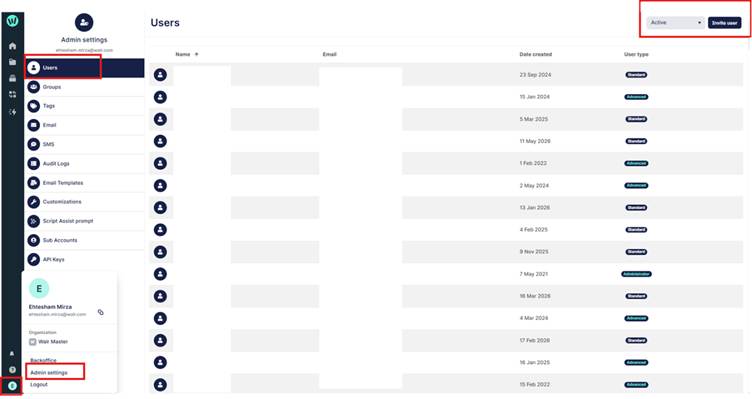
In the top right corner, you can switch between active Users and those that have received an invite but haven’t yet signed up.
To invite a User, click the “invite user” button.
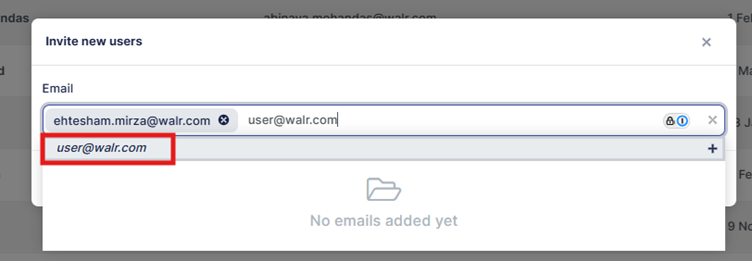
When entering the email address, ensure you click on the highlighted box so that the email is added to the list.
You can continue to type and then click on each User email to send multiple invites.