When you want to control who sees which question, you will use the filter feature from the logic tab.
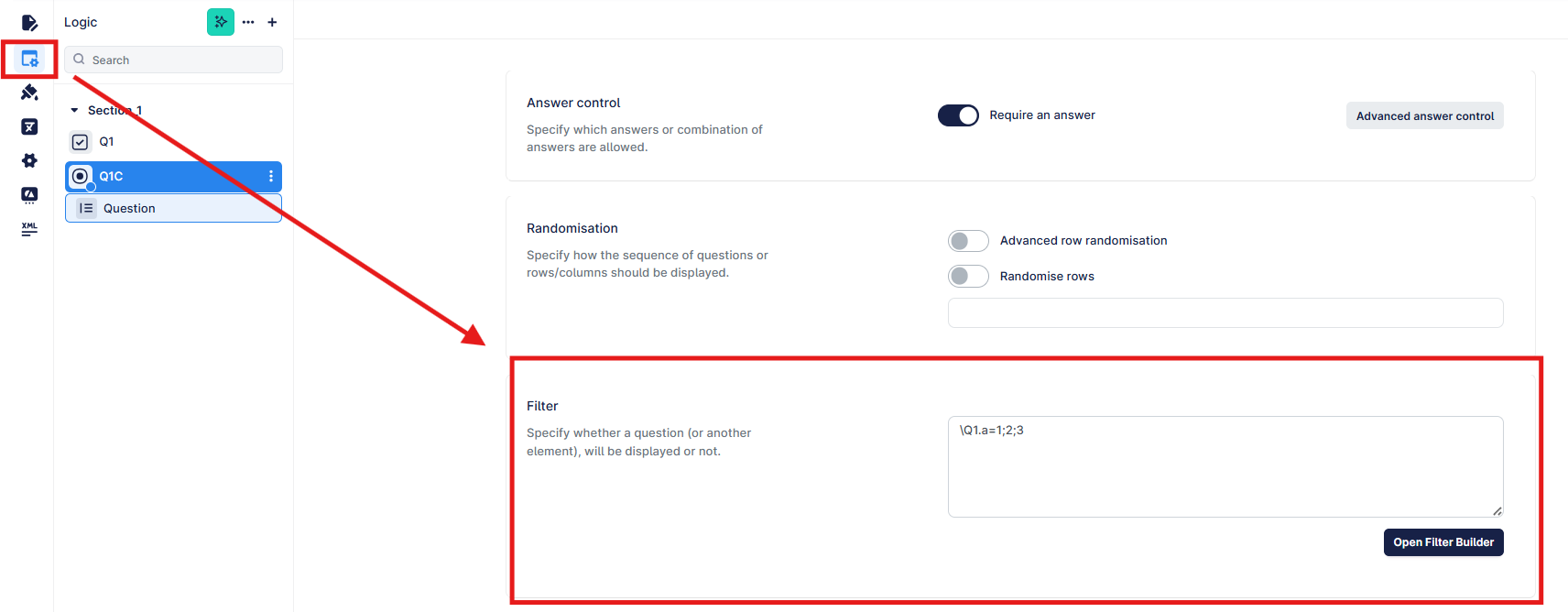
You can either write the syntax yourself if you are familiar, or you can click the "Open Filter Builder" button and use the interface to select the question and answer, which will write the syntax for you.
Selecting the questions is the same but creating the filter/condition is done in two ways:
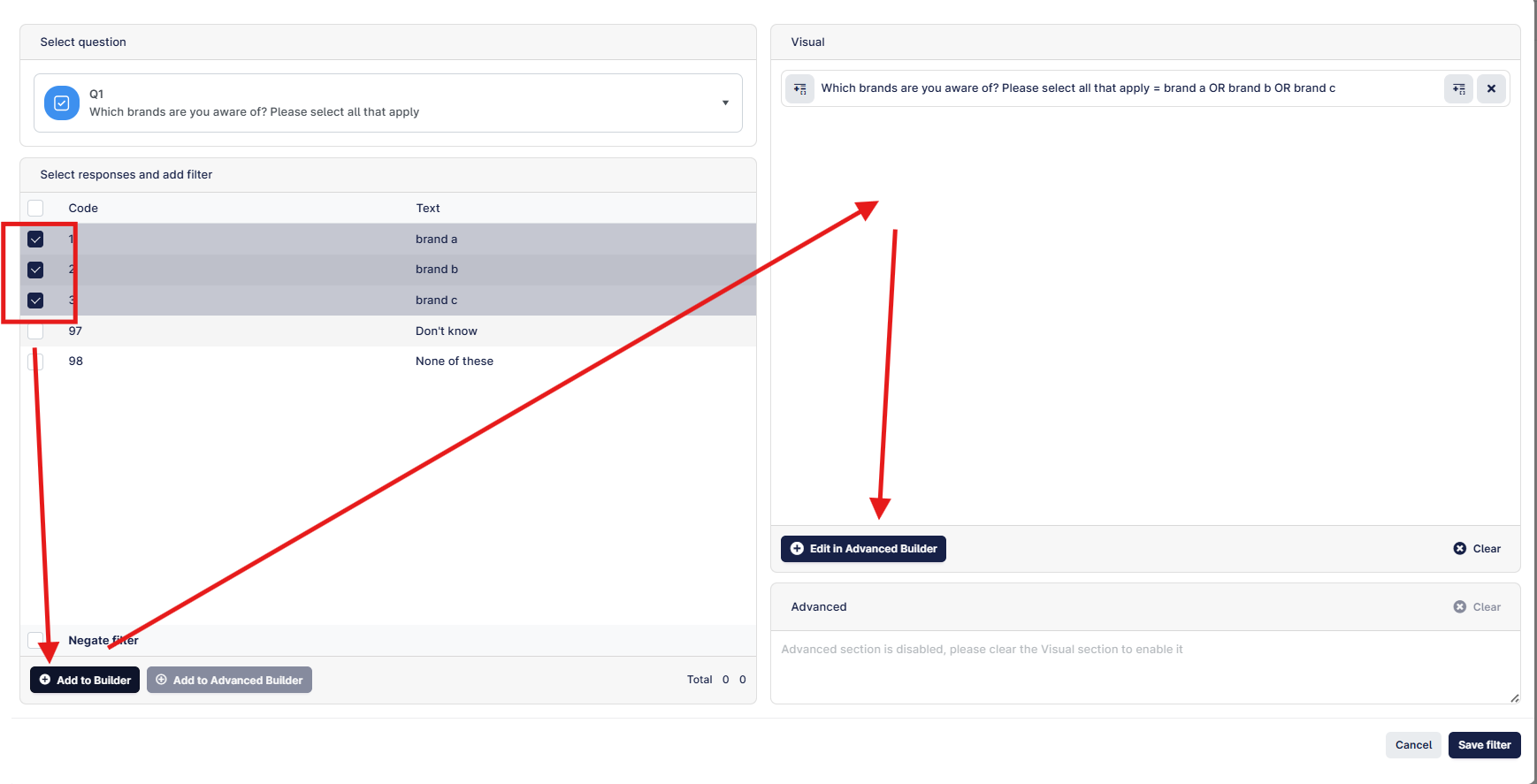
"Add to Builder" - this can help you visualise the question by adding the filter in a verbose way, which can be clearer than just the syntax. You can use this option to add as many questions/answers combinations, add parentheses, and/or modifiers, and then click "Edit in Advanced Builder" to show the syntax.
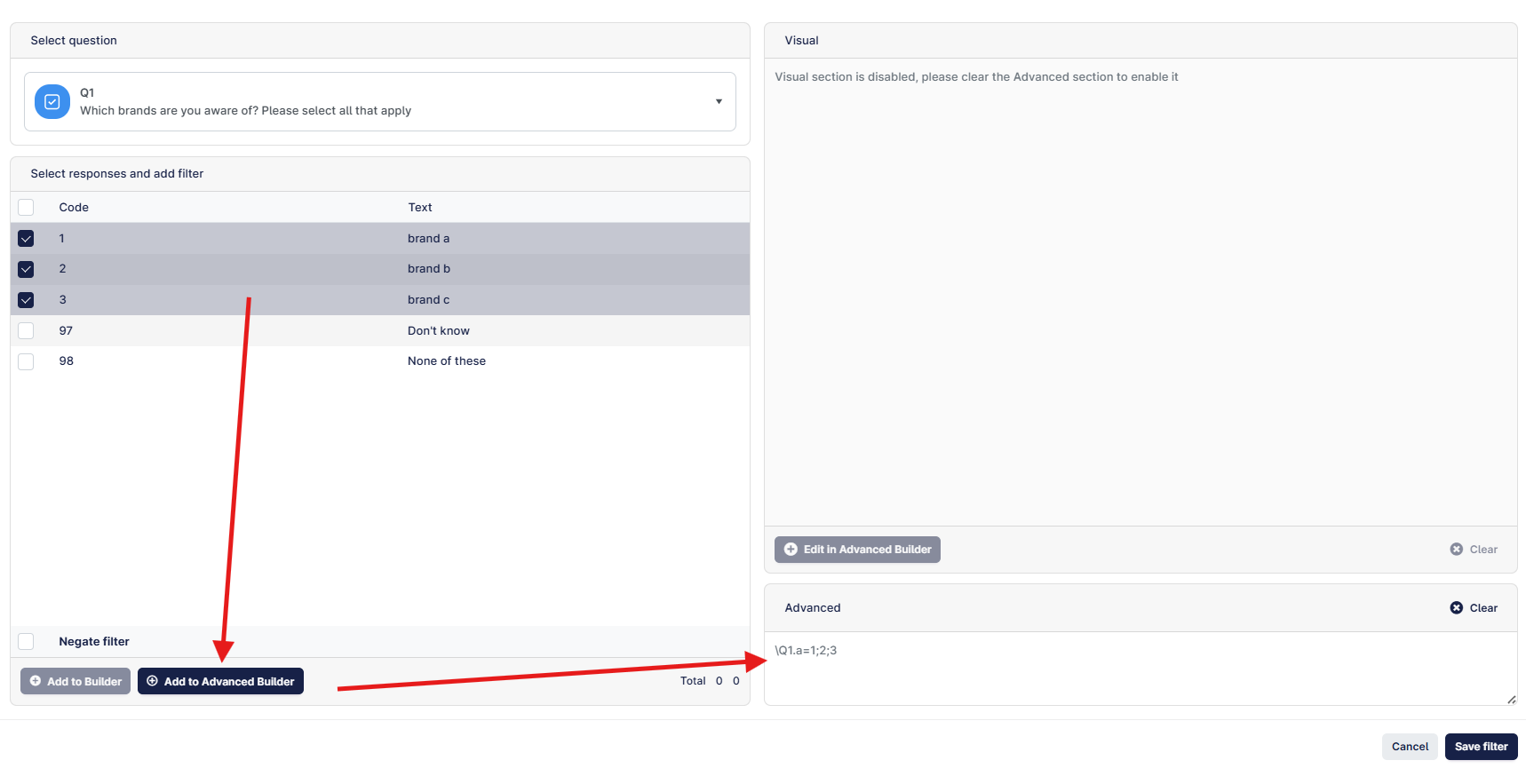
"Add to Advanced Builder" - writes the syntax straight away. You can add additional questions/answers, but you will have to add the and (&) or (|) and any parentheses manually.