Survey Logic in Survey Builder is handled mainly via:
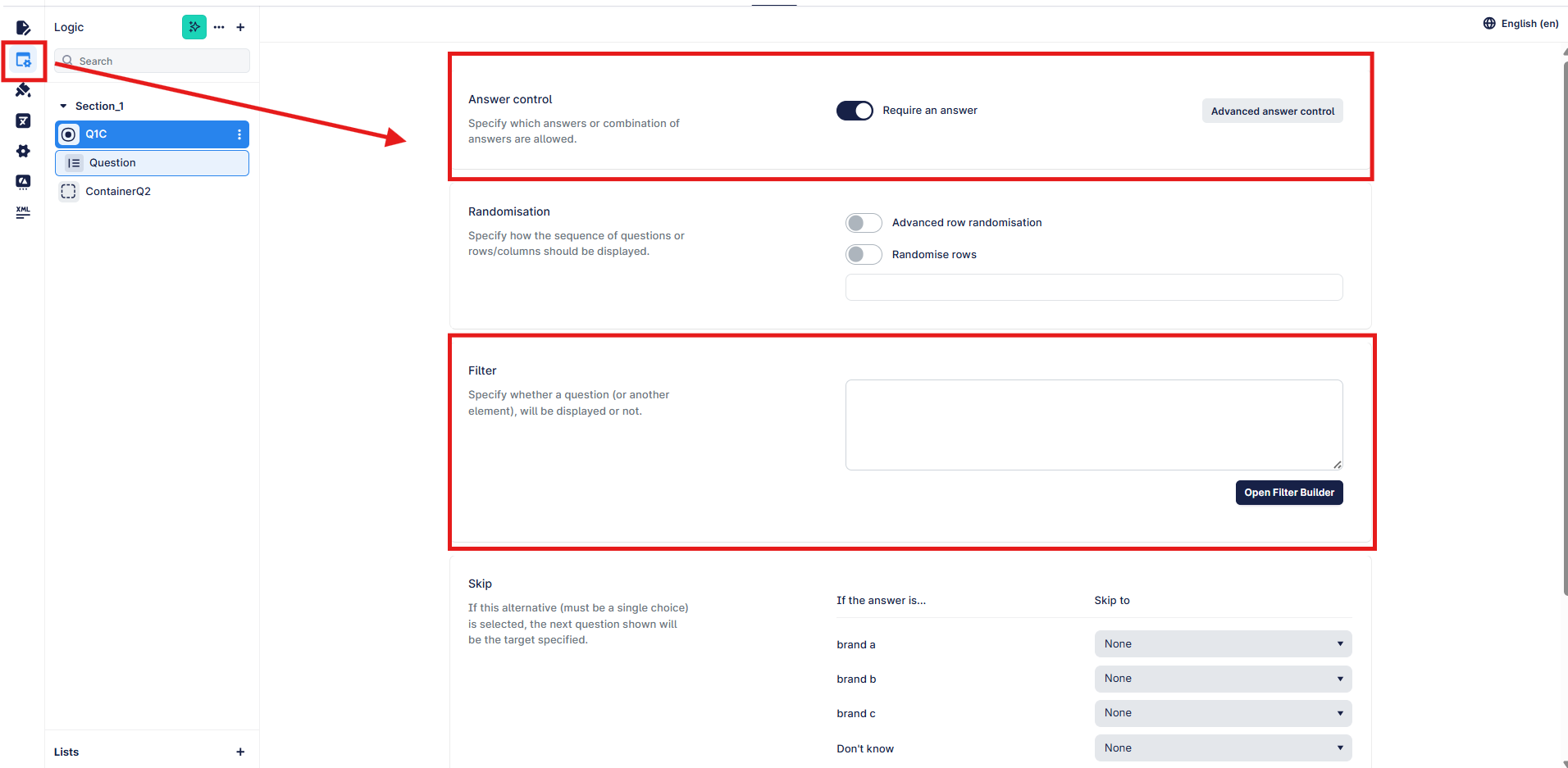
Answer Control – that is the answers that respondents will see
Filter – the questions that respondents will see
Both of these can be accessed via the Logic tab:
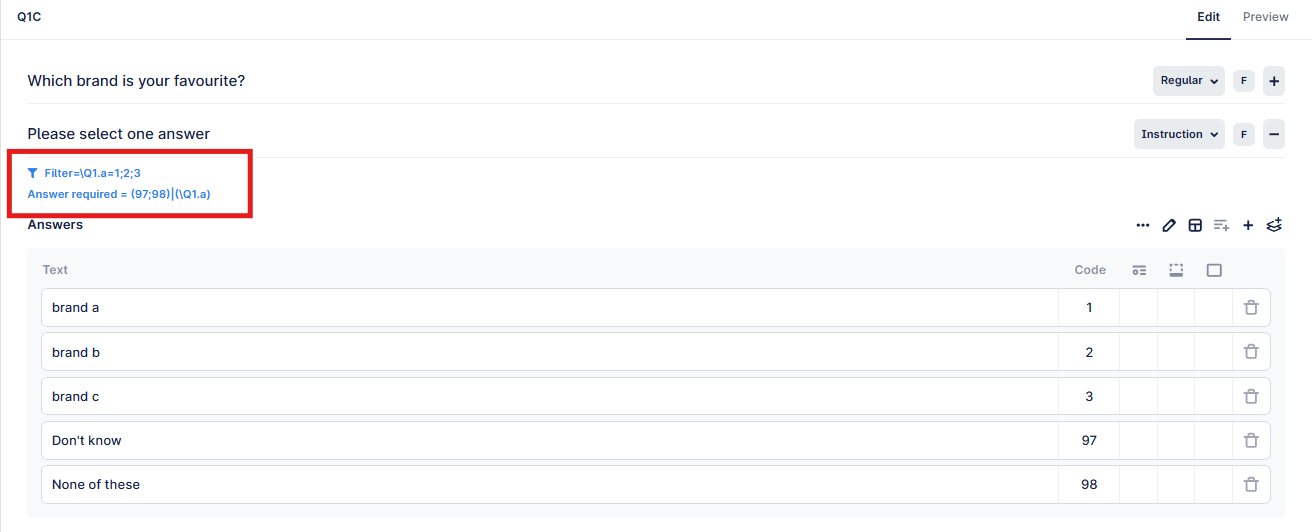
When added you can easily view them in the build screen:
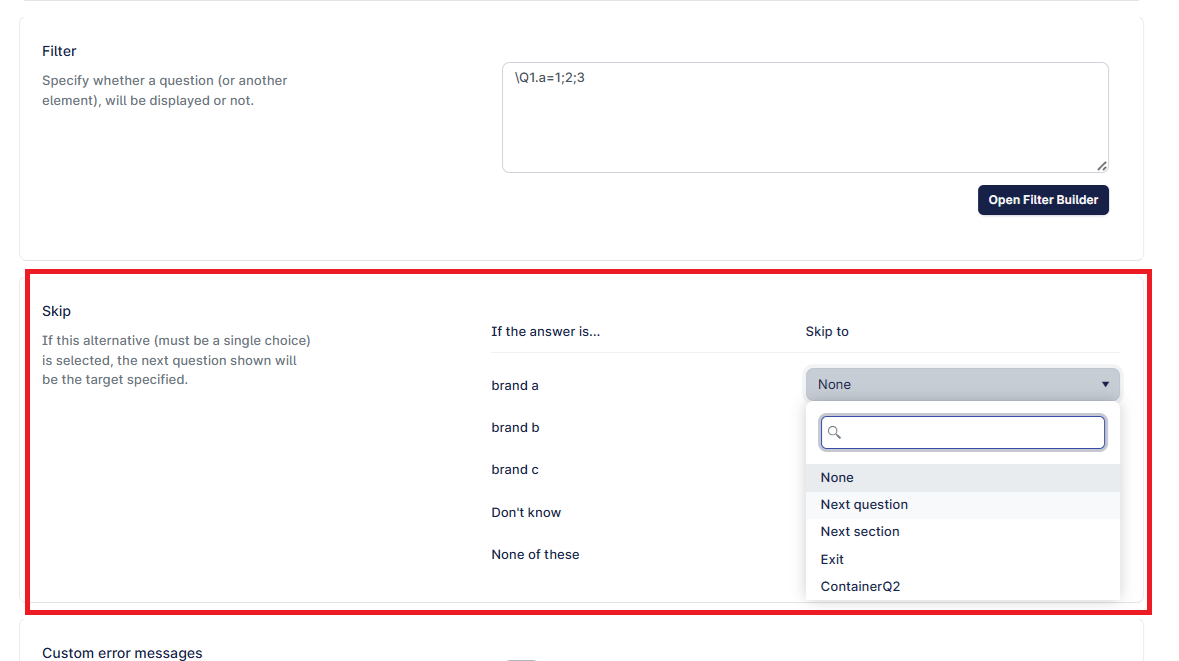
You can also use the following to "skip" questions, entire sections or even route to specific points in the survey:
Skipping within the logic of a question.
Note that this only works if you have a single response question, with multi response, there would be multiple routes and only the first that is true would be actioned.
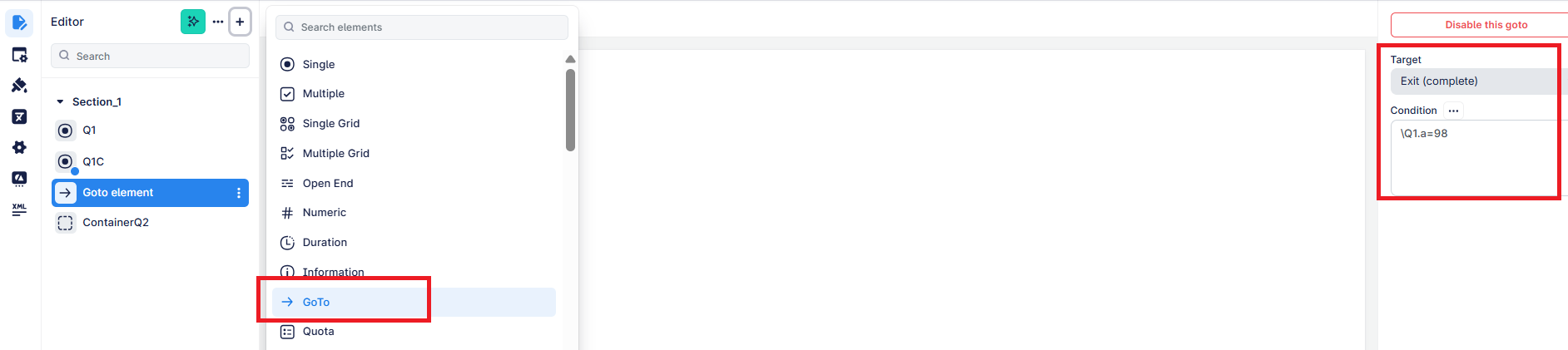
The other way to skip is to use the "goto" element, which can be used to send a respondent to a "target" if they meet the required conditions. Note that this is a better way to route respondents past a number of questions, and is easily visible in the question tree.
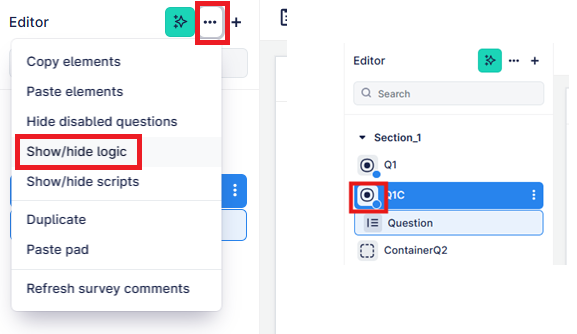
Turning on the "show/hide logic toggle" as below, will add a blue do to each question that has any answer control, skip or filter.