Randomisation works on levels, which means that you can have multiple randomisation codes depending on what you want to randomise. The same examples shown below can also be applied to questions.
Examples of answer randomisation can be found in this survey.
Examples of question randomisation can be found in this survey.
For question randomisation, you need to ensure that the questions you want to affect are all in the same section. You cannot randomise sections themselves, only the contents.
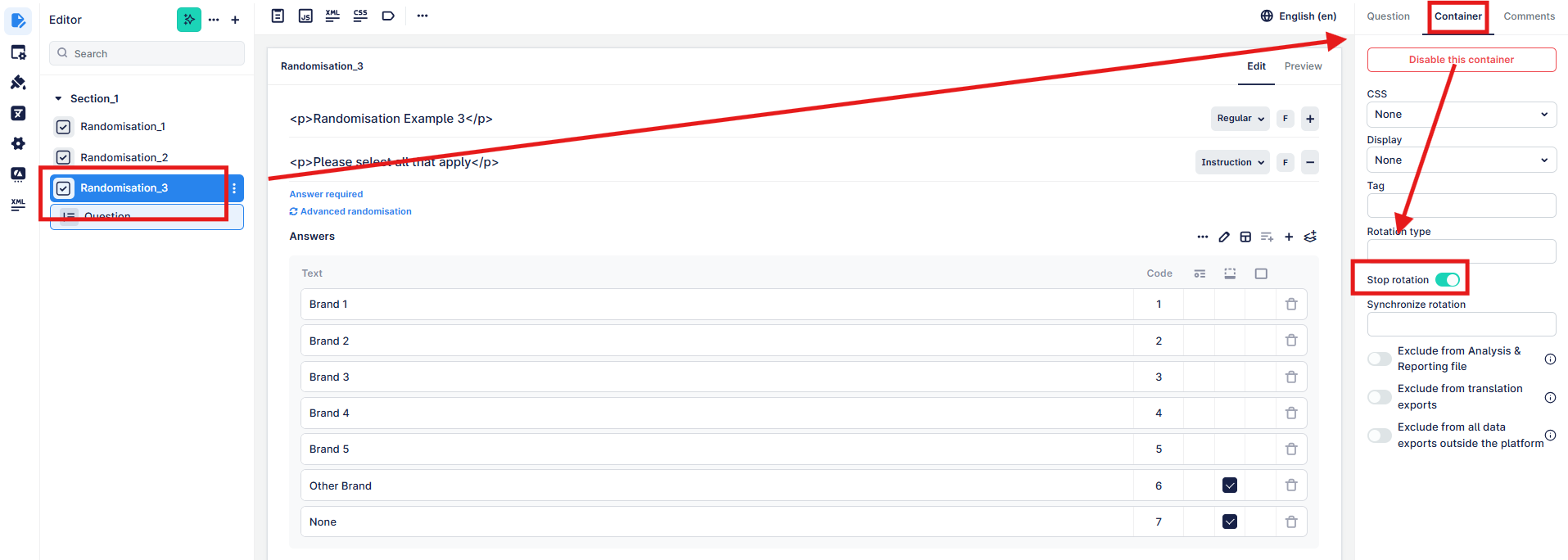
In this example below, we have three questions where we want to randomise the order they are shown.
1. click on the first question in the sequence
2. click on container to access the additional container options
3. you can enter the rotation type (rotation code) here, using the sequence described here. If you want to create synchronisation across multiple types of this randomisation e.g. always show the same order in each section, you can define a unique numeric identifier in "Synchronize rotation".
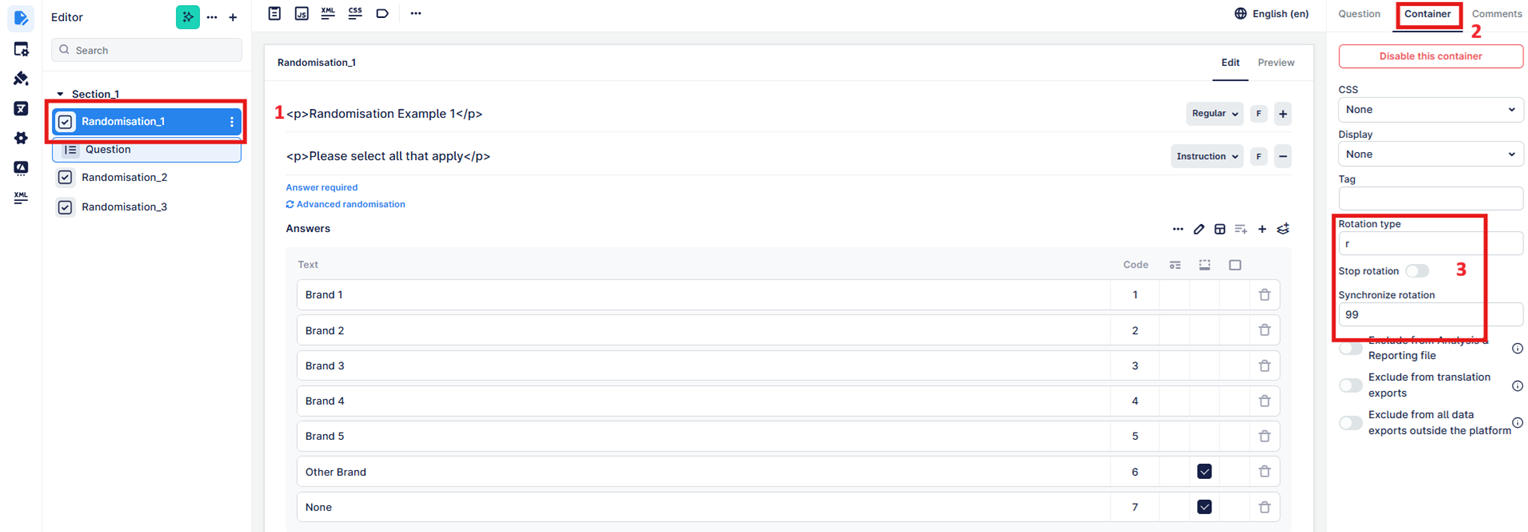
To end the randomisation sequence, the last question needs the "stop rotation" toggle set to on. This will then ensure that any questions after this point will not be part of the randomisation order.
Note: as per the answer randomisation, there is no need to add "r" to each question in between the first and last.