
Projects (Folders)
You can also view this video: https://survey.walr.com/pXAMk7?qq=27
A project is a folder or container for keeping all of your project materials in in one place.
You can choose to keep all your surveys and data within one folder, but to make things easier to manage, the ideal set-up is to create one folder per project and have the survey, data and any other materials saved there.
Within a project you could have:
- Surveys or Scripts from Survey Builder
- Data sets
- Data operations
- Imported project documents (Excel or Word documents, PDF files etc.)
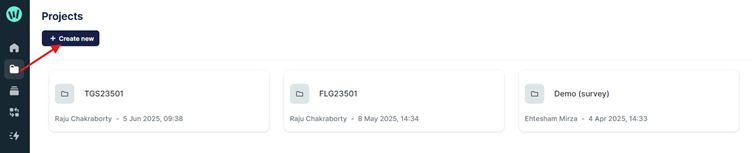
To create a new project:
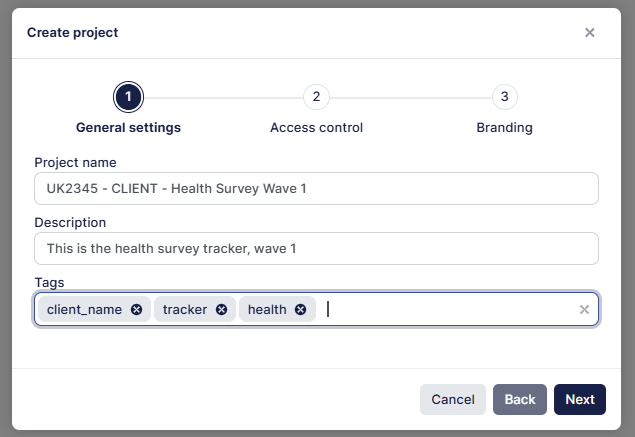
General settings
.
- Project name (required)
- Description (optional)
- Tags (searchable keywords, optional), can be useful for organising your projects and searching for keywords.
.
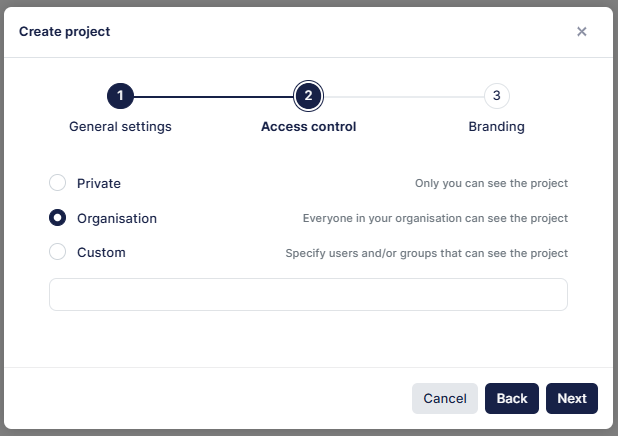
Access control
.
- Private – only you, Advance or Administrator level users can access
- Anyone in your organisation that has a login can access
- Custom allows the selection of users from drop-down list who should have access
.
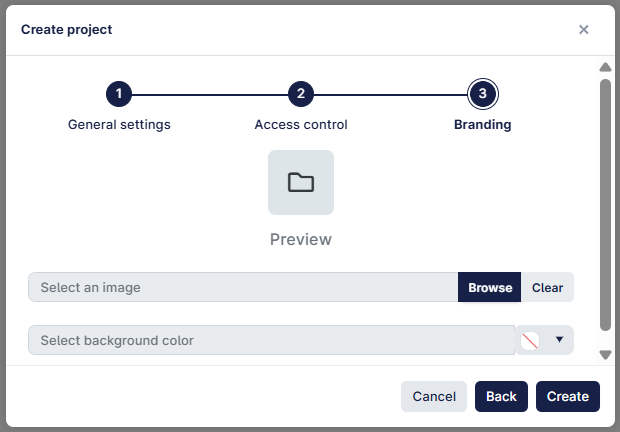
Branding - the look and feel of your project on the start page (optional)
.
- Upload and select an image
- Select a background colour
.
Finally, click "Create".
The project is now ready and will be displayed among the projects in your account.