Submit a ticket Agent Login
Welcome
Login  Sign up

Navigating the Platform

Once logged in you will see the landing page.
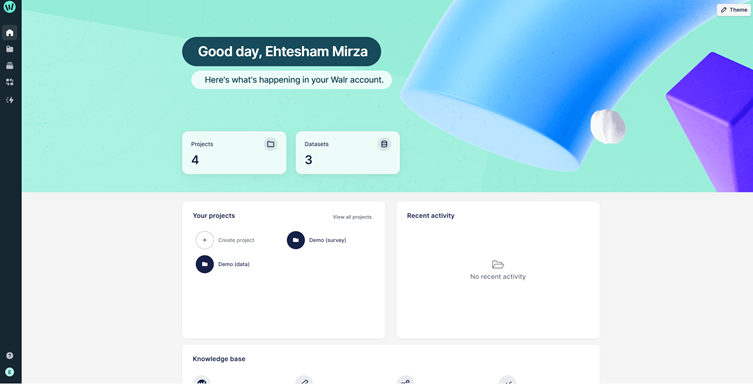
A screenshot of a computer

AI-generated content may be incorrect.


The Navigation Panel

  1. Takes you back to the landing page from whichever page you are currently on
  2. Takes you back to the landing page from whichever page you are currently on
  3. Takes you to the project view, where you can view all your project folders
  4. The file library where you can upload any documents for supporting your surveys, such as images or design files
  5. View the background tasks that are in the queue, such as delete item.  You can reinstate projects from here
  6. The current queue that need to be processed immediately; this includes copy tasks and data exports.


  1. Access the Help Center
  2. Access the Admin Settings and Log out


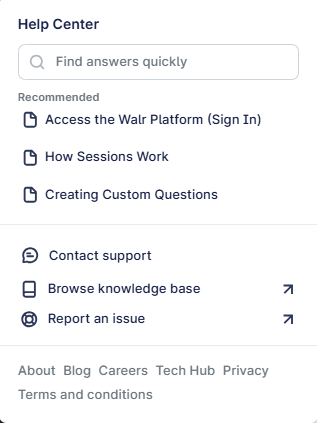
    Help Center

A screenshot of a phone

AI-generated content may be incorrect.


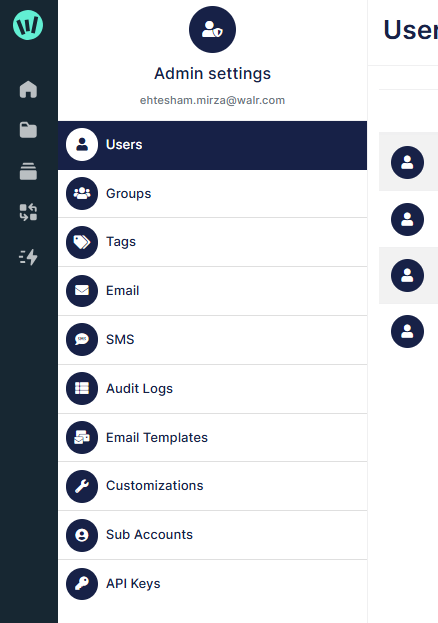
Admin Settings

A screenshot of a computer

AI-generated content may be incorrect.


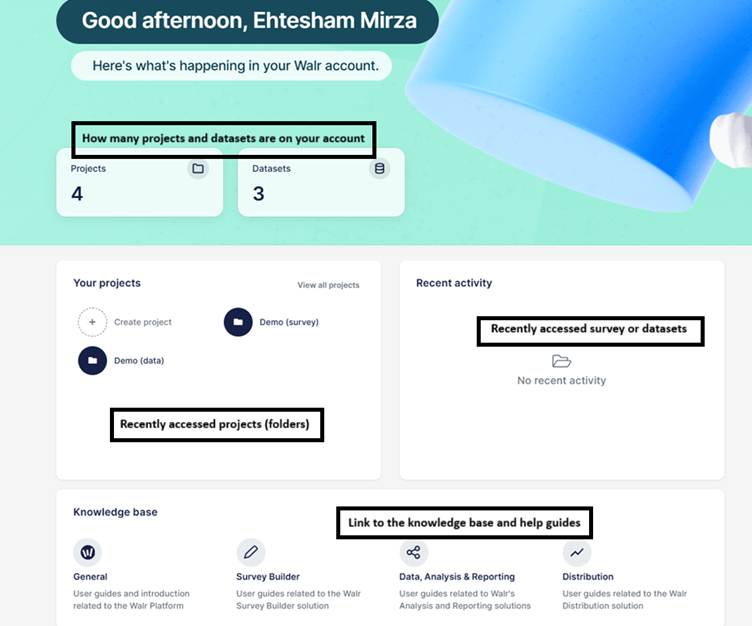
The remainder of the landing page is made up of recently accessed projects or folders, and includes useful links to the knowledge base.



Did you find it helpful? Yes No

Send feedback
Sorry we couldn't be helpful. Help us improve this article with your feedback.