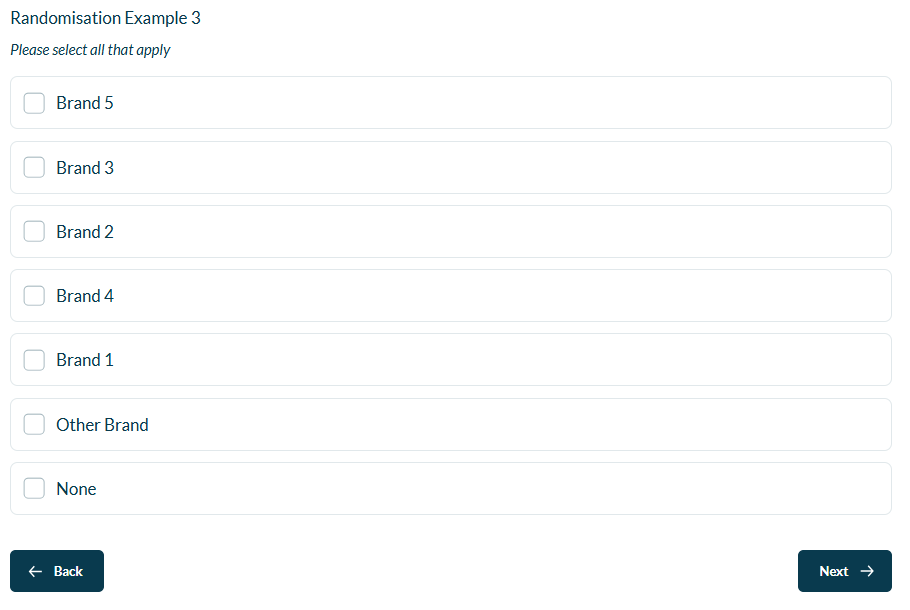
Randomisation within answers or questions uses an algorithm within the survey. This means that the order of randomisation across questions will be different.
In some case, where you have a brand list for example, you may want the order shown to be the same across all questions.
This can be achieved by using Synchronization in the Advanced Randomisation options.
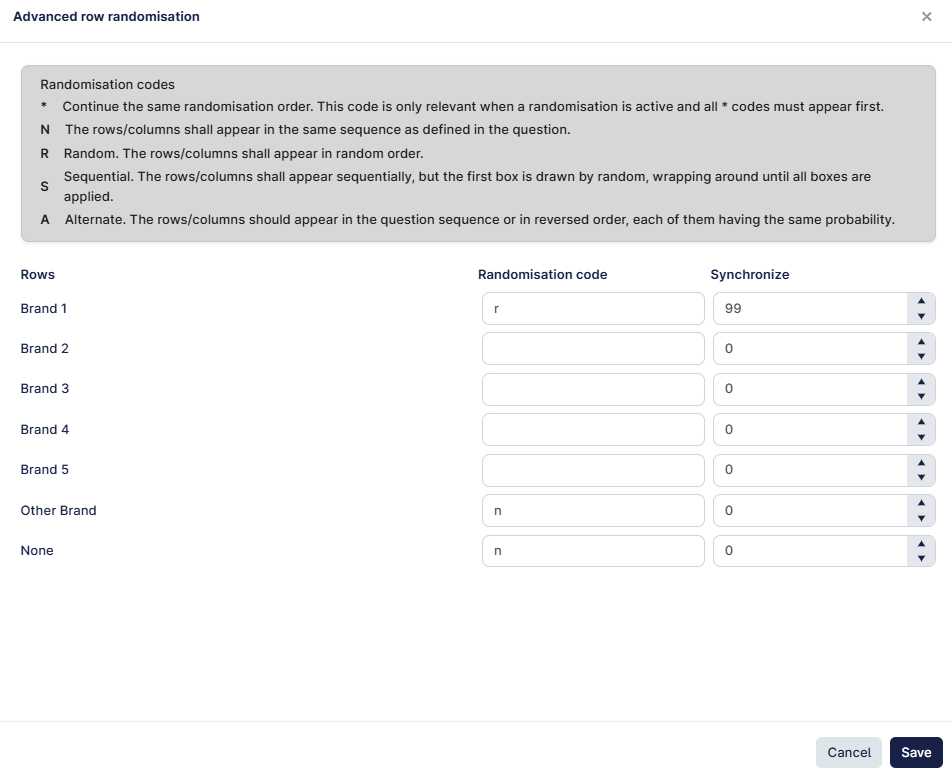
- Enter the randomisation code to determine how you want to randomise the answers, in the example bleow, we will randomise brands 1-5 but keep "other brand", "None" fixed to the end.
- By adding 99 to Synchronize, we have created a unique sequence that can then be used elsewhere in the survey to match the randomisation order (this can be any unique number).
- Create another question with the same answer list, and set it up like before. By adding 99, both questions will now show the same order.
- You can also use Lists to make the answers more consistent across questions.
- The Synchronize value can be any numeric value (other than 0), and only needs to be added to the first box.
- 0 (in ALL the boxes) means that the sequence will be randomised independently of any other question.
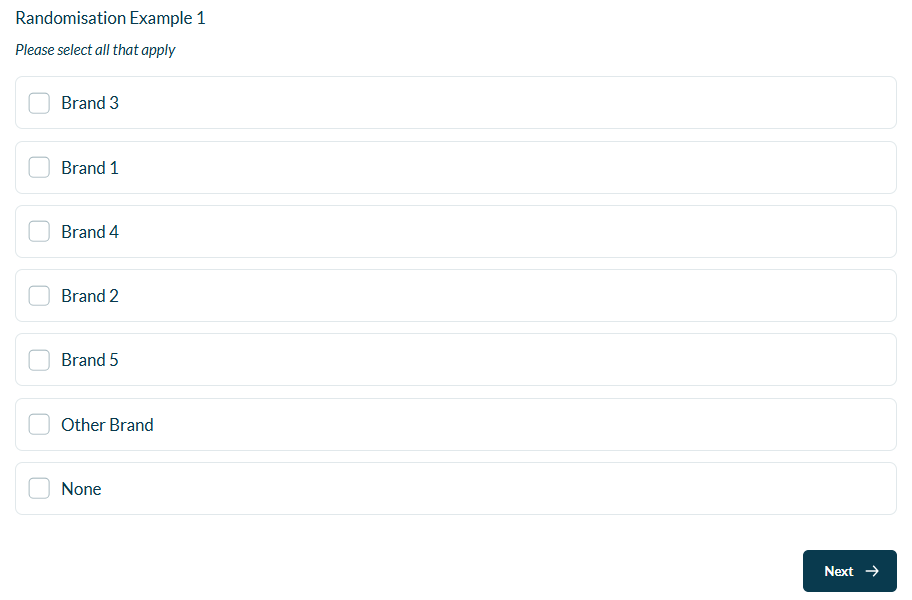
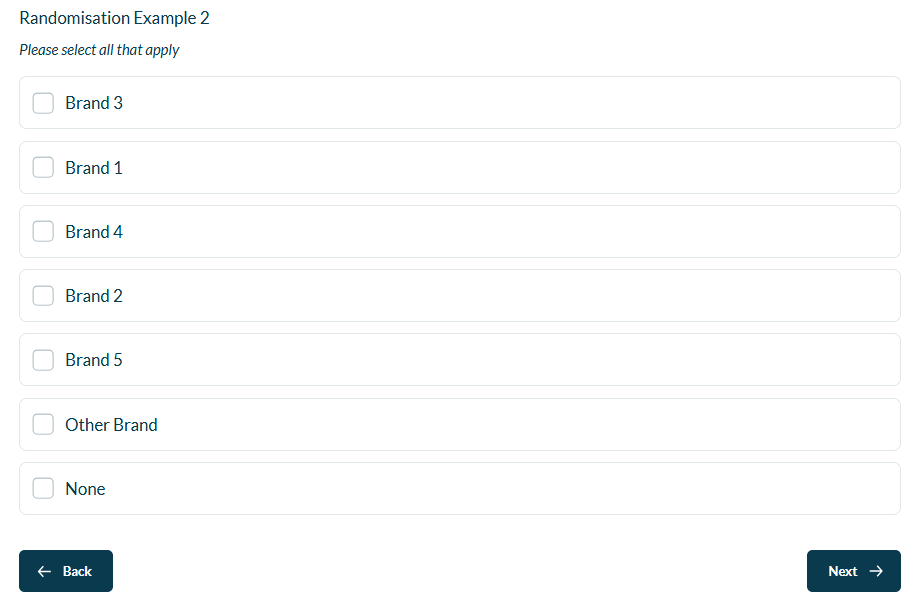
In the 3 examples below, Question 1 & 2 share the same randomisation synchronisation value (99), but Q3 does not. Therefore the first 2 questions have the same order displayed, but the last question does not.
Question 1 - Randomisation order
Question 2 - Same Randomisation order
Question 3 - Different Randomisation order