
*********************************************************
Platform Version : Data Collection V2 Only
*********************************************************
Survey Builder can now show/hide questions via a new toggle.
Previously, each question needed to be manually changed to sys_range e to make the question visible for testing, and then back to sys_range c before going live.
Now visibility is set once and you can control it via the survey URL or a toggle on the testing screen.
Note that this only applied to the "review" link, it will not work on the live link.
Question Settings
There are three settings, and who can see the question:
| Testers | Respondents | |
| Show (default) | Shown | Shown |
| Show for testing only | Shown | Hidden |
| Always hide | Hidden | Hidden |
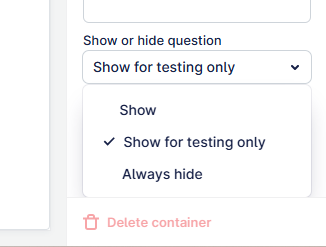
Always hide should be set for questions that will never need to be shown while testing, such as timestamps. Hidden questions still run their Set answer, so the data is captured as before.
Build
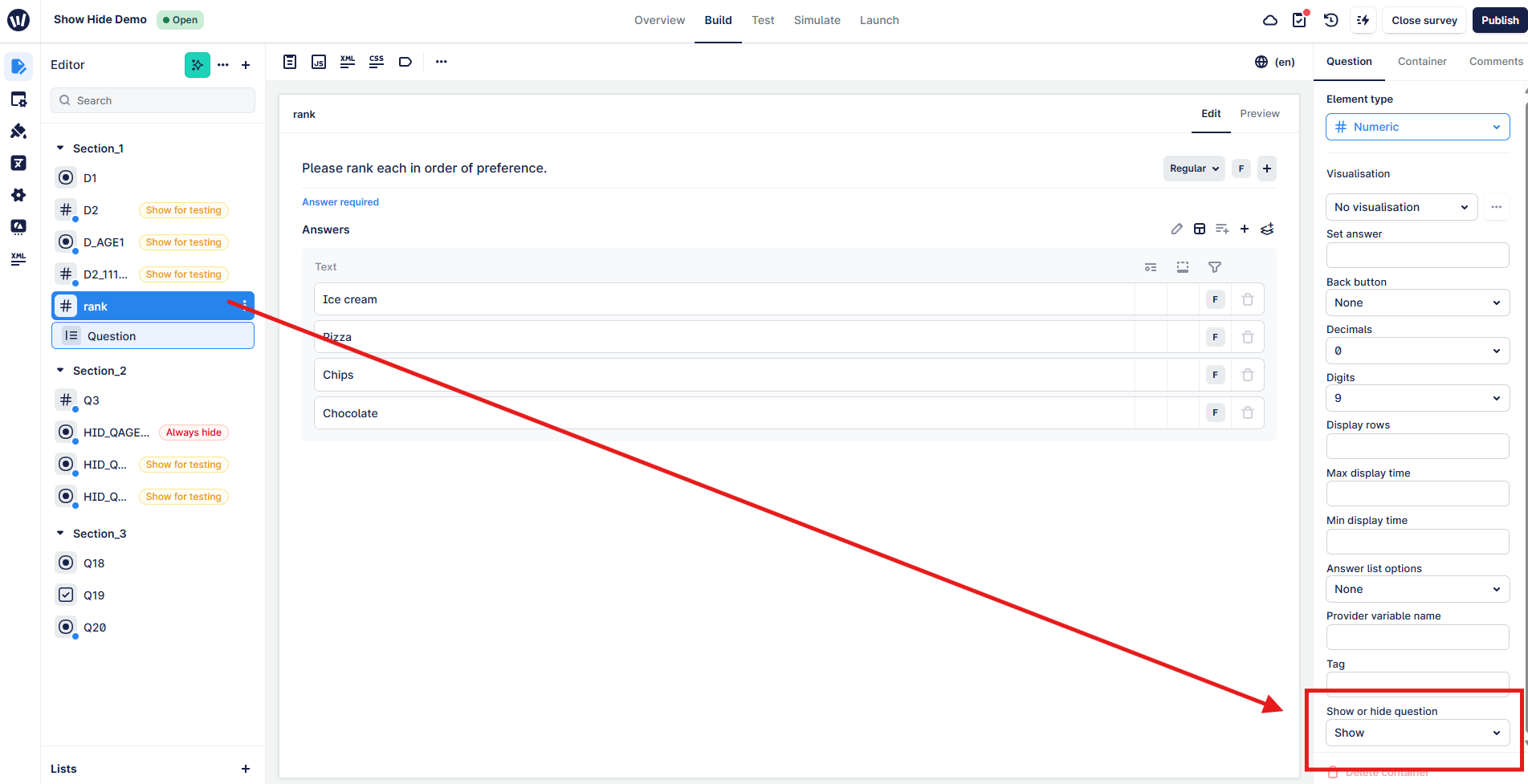
Every question and information element has a "Set answer" dropdown list in the question tab. Hidden questions get a flag in the question tree; amber for "testing only" and red for "always hidden".
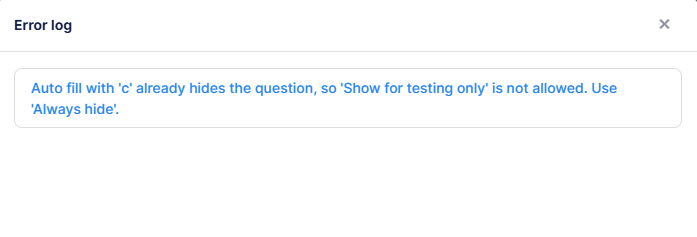
Combinations that contradict each other, like sys_range c with "Show for testing only", are blocked on validate, test and publish.
Testing
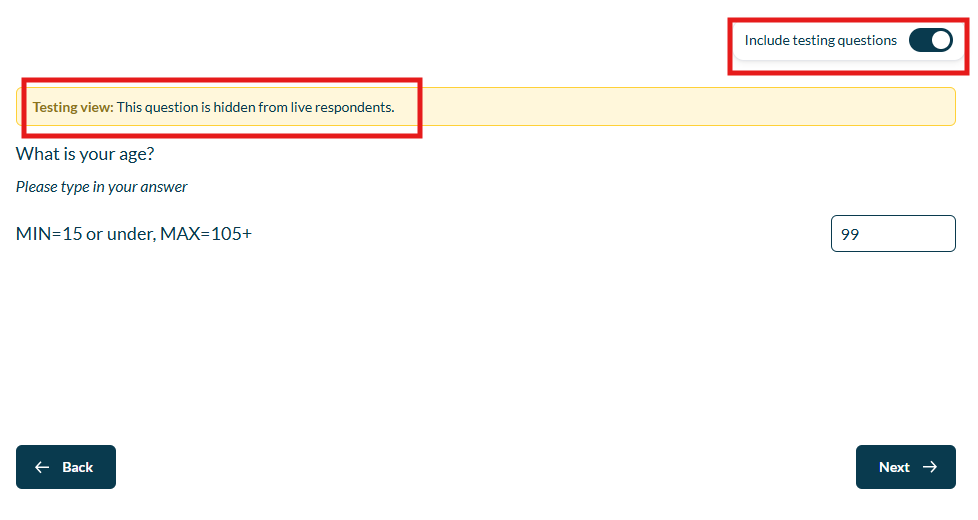
Internal test and review links have a Show hidden questions toggle, on by default.
When the toggle is set to ON, any questions with the amber "Show for testing" will be shown with a "Testing view..." banner above them. When the toggle is set to OFF, the questions will be shown the way a respondent would see them. Note that switching this toggle at any time will restart the survey.
Setting from the Link
The toggle state is part of the link as rs_stq where you and add this to the end of the review url:
rs_stq=0 will not show the test questions, the same as the toggle being set to OFF
rs_stq=1 will show the test questions, the same as the toggle being set to ON
Creating or updating a review link saves the current toggle state onto it, and you can change the value manually before sending. This only sets the starting view, the toggle can still be flipped at any time (see note about survey restarting).
e.g.
FAQ
Is it available in DCv1?
No, DCv2 only.
Do existing surveys need changing?
No. Every question is set to Show, and sys_range c and sys_range e work as before.
When should I use sys_range e/sys_range c?
In any older surveys using sys_range c along with "Show" on the toggle will emulate the older behaviour. This question will be omitted from the show/hide toggle. Your hidden question will be set as normal.
For any new questions that need to be hidden permanently e.g. timestamps, you can set the question as sys_range e and the dropdown to "Always hide". This will replicate the above behaviour.
All other questions can be set with sys_range e and "Show when testing" to give you the control of showing or hiding with a simple toggle.
You cannot select "Always hide" and set sys_range e.
You cannot select "Show when testing" and set sys_range c.
Can a respondent reveal hidden questions by adding rs_stq=1 to a live link?
No. The toggle and rs_stq only work in internal test and on review links.