
Variables passed as parameters in the survey link can also be used directly and stored in any questions.
There are 2 ways the data can be stored, either in a closed list in a single or multi response question, or as raw data captured in an open or numeric question.
If our survey link has multiple parameters as in this example:
http://survey.walr.com/XXX?altid=ALTID&c=1&p=24
- Create a multi-response question and add two rows
- one will be our "altid", the other "p"
- ensure the tick for "other" is on for both so they will be treated as an open text row
- Click on each row individually and in the box for "Set Answer (Q1)" enter for each row:
- sms_altid c
- sms_p c
- This will ensure that you have two variables in your data, called OpenURL.a.1 and OpenURl.a.2, which will hold the exact values of the url variables
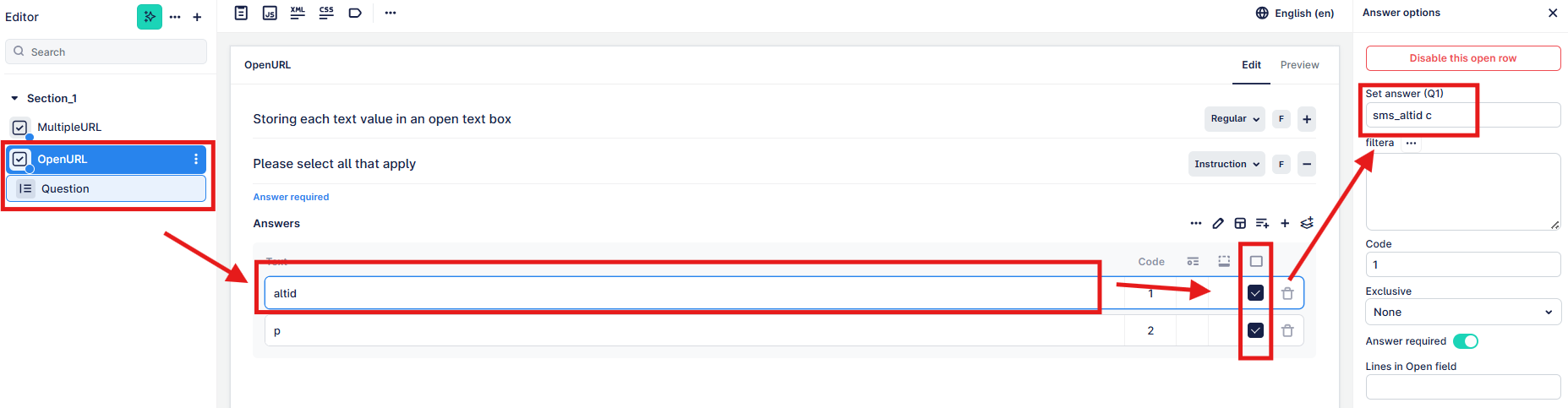
If we have a variable like "c" which can be used to store the value of a country, for example, then these do not need to be stored as text values as they will be within a fixed range.
Unlike the above example, we do not need to set these as open rows, nor do we assign the sms value to each row. Instead we expect one answer for this whole question.
- Create your single or multi response question and add your answer options, were the code will be equal to the value passed via "c" on the url
- At the question level i.e. no need to click on each row, you can "Set Answer" to be "sms_c c"
- This will take the numeric value and set that into this question, so if c=1, the answer set would be UK
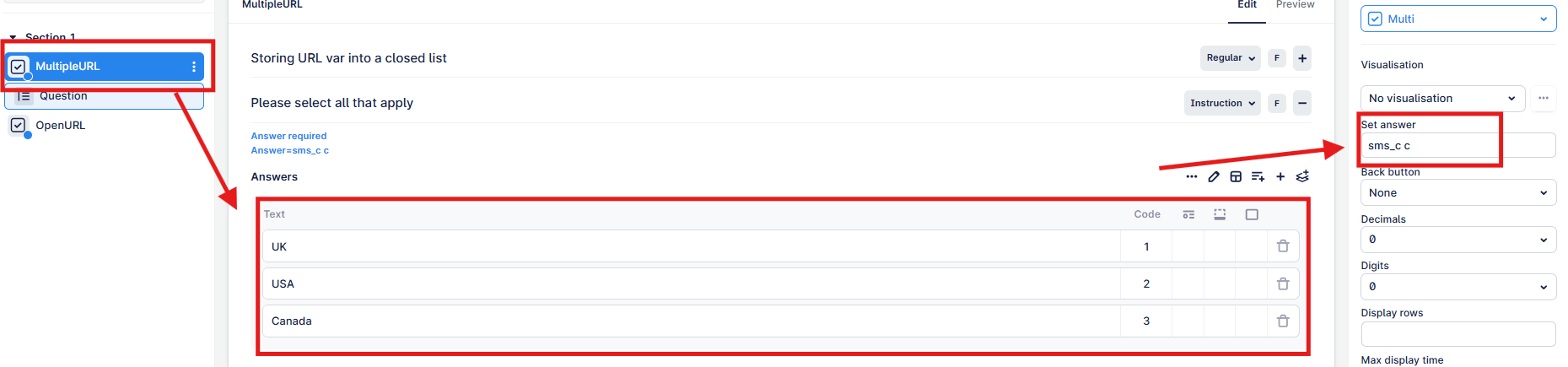
Both of these questions will be available to review in the data, either as raw data or tabular format.